

Comparing copier specifications is easier when every column has the same meaning. A speed figure, paper-capacity total or finishing feature can look impressive while describing a different paper size, an optional accessory or a configuration your office does not need. Before selecting a machine, turn the comparison chart into a short list of requirements you can verify.
At STAT Business Systems, we help South Florida offices move from browsing equipment to specifying a practical system. Our updated color multifunction copier comparison brings current Kyocera models together. Here is how to use those details when the next step is a real proposal.
Keep a short comparison record beside the shortlist. For each requirement, identify the published specification, the option being proposed and the sample result you want to see. This gives the office a way to revisit the decision when a configuration or price changes without restarting the entire equipment search.
Read the qualifier beside the number
A published pages-per-minute figure describes output under stated conditions. Letter, legal and ledger pages are not interchangeable measurements. Color and black-and-white speeds can also be presented separately. Compare the same paper size and output mode before treating a higher number as a meaningful upgrade.
The same rule applies to capacity. “Standard” means the base configuration described in the specification. “Maximum” normally involves optional feeders. A machine capable of holding thousands of sheets will not arrive with every feeder unless the proposal includes them.
If your team keeps letterhead, plain letter paper and legal stock ready all day, the number of usable sources may matter more than the largest capacity figure. Write down what needs to remain loaded simultaneously.
Translate each column into an office question
Use the chart to identify candidates, then connect each feature to an actual task:
- Output: Which documents need color, and which should default to black-and-white?
- Paper support: Do you regularly print legal or 11-by-17-inch pages, or mainly letter size?
- Capacity: How often would someone refill paper during a normal working day?
- Scanning: What original sizes, destinations and document batches need to work?
- Finishing: Must the machine staple, punch or fold a specific packet?
- Footprint: Does the installed configuration leave room for loading and service?
This exercise stops optional features from becoming automatic purchases. It also helps reveal a missing capability before the equipment is ordered.
Separate print functions from document handling
A multifunction copier can print, copy and scan, but those labels do not describe every workflow. A document processor, additional paper source, finisher or authentication option may affect how your staff uses the system.
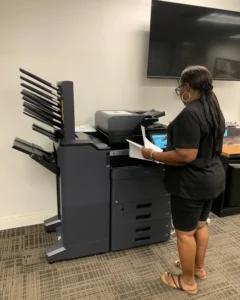
For example, a team that scans large batches should examine the proposed feeder and test its real originals. A firm that prints bound meeting materials should confirm the finishing equipment and compatible paper. Do not assume an accessory shown in a photograph is included in the base machine.
Ask us to list the exact model and accessories separately. That gives purchasing, IT and office staff one configuration to evaluate rather than three different interpretations of the product page.
Use the product page to close the gaps
Once two or three candidates remain, open their individual pages in the Kyocera product catalog. Check the specification basis, configuration notes and options relevant to your office. Treat an unanswered requirement as a question for the proposal, not as an assumed feature.
Bring a representative file for each important workflow. A short color proposal, a legal-size document and a typical scan batch tell us more than a request for “the best copier.” If your final output needs special paper or finishing, bring that material too.
A useful comparison records the entire task: loading, selecting settings, producing the document and collecting the result. Engine speed is only one part of that sequence.
Turn the shortlist into a written configuration
Your equipment proposal should name the model, installed accessories, expected workflows and the support arrangement being offered. Review acquisition costs and service scope separately so a change in one area does not obscure the other.
Also identify who will approve the configuration. IT should confirm network and scan requirements; the office manager should check daily usability; purchasing should confirm the commercial terms. A single signed-off requirement list reduces late changes.
We are based in Sunrise and support offices throughout Broward County, Palm Beach County and Miami-Dade. Local setup and service should be part of the decision alongside the hardware itself.
If you have a shortlist but need help interpreting the specifications, request a copier configuration quote. Send the models you are considering, your recurring document jobs and the features you need included. We can help turn a comparison chart into an equipment plan your team understands.