

Office Printers With the Setup and Support Your Team Needs
A business printer has to do more than put ink or toner on paper. It needs to work with your network, support daily volume, make scanning simple, and remain practical to maintain.
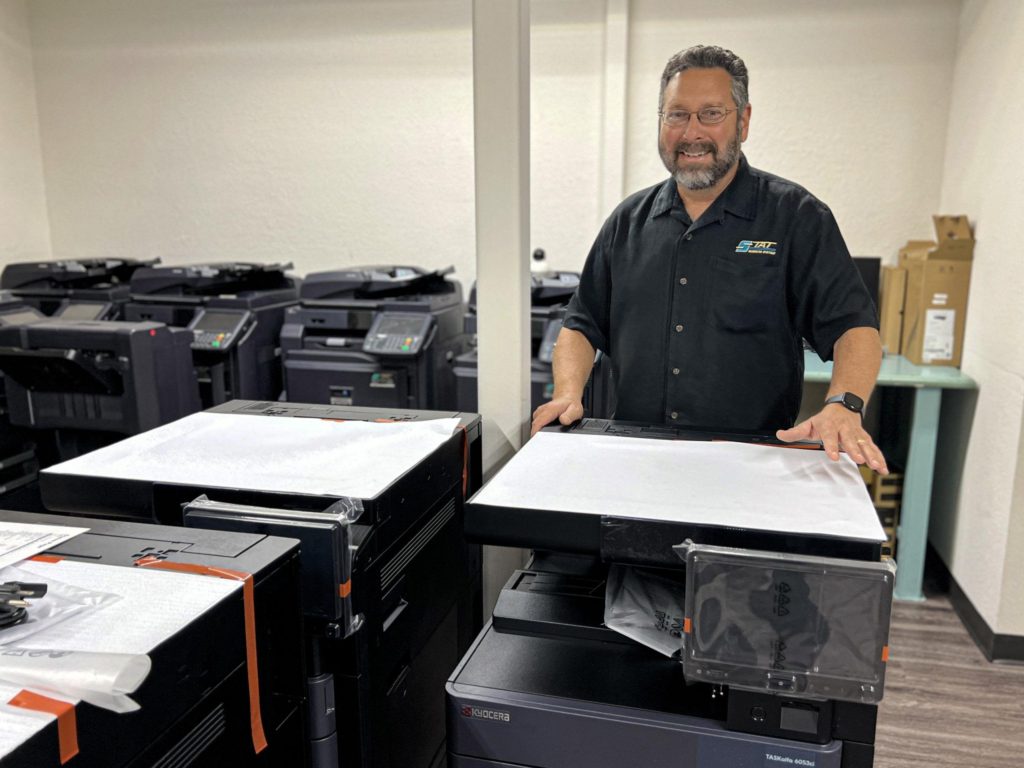
STAT Business Systems combines office printer sales and service for South Florida organizations: helping teams choose Kyocera printers and multifunction systems, coordinate installation, and plan the support and supplies that keep employees productive.
Plan Beyond the Printer Purchase
A good printer decision accounts for the work before installation and the support after it. STAT can help at each stage without forcing every business into the same equipment package.
Choose
Match speed, volume, color, scanning, security, paper capacity, and physical footprint to the employees who will use the device.
Set Up
Plan placement, delivery, network requirements, print drivers, address books, scan destinations, and user access before launch.
Maintain
Review available service, maintenance, and supply options for the selected equipment so responsibilities are clear.
Optimize
Revisit usage, device placement, costs, and workflow as staffing or document needs change.

Business Printers for Different Teams and Workloads
Some employees need a dependable desktop printer. A busy department may need a shared color device with scanning and secure print release. Other offices work best with a multifunction system that consolidates several tasks.
We will ask about users, estimated pages, paper sizes, color expectations, scan destinations, mobile printing, security, and growth before recommending equipment.
Keep the Printer Useful After Installation Day
Printer support works best when the equipment, network, supplies, and service responsibilities are understood from the beginning. STAT can discuss support for eligible commercial printers and multifunction systems as part of the recommendation.
Kyocera Office Printers and KIP Wide-Format Systems
STAT sells and supports Kyocera business printers and multifunction equipment. For architecture, engineering, construction, and other plan-intensive environments, we can also discuss KIP wide-format systems through our wide-format printer team.

Three Ways to Manage a Business Printer Environment
Purchase With Service Options
Choose equipment for a known requirement and review available maintenance or support terms with the proposal.
Consolidate Office Devices
Replace an uneven mix of printers with a more intentional combination of workgroup and multifunction equipment.
Consider Managed Print
For organizations that need broader visibility into devices, usage, supplies, and costs, explore managed print services.
Questions About Business Printers and Support
What office printers does STAT sell?
STAT sells Kyocera business printers and multifunction systems for individual users, workgroups, and larger office environments. Available models and configurations change, so we recommend equipment after reviewing volume, color, scanning, paper, security, and network requirements.
Is STAT an authorized Kyocera printer dealer?
Yes. STAT Business Systems is an authorized Kyocera dealer serving businesses and organizations throughout South Florida.
Can STAT help install and connect a new office printer?
Yes. Available installation and setup can include delivery coordination, device configuration, network planning, print drivers, scan destinations, address books, and user settings. Exact requirements should be discussed before delivery.
Does STAT provide printer maintenance and service?
STAT offers service and maintenance options for eligible commercial printers and multifunction systems. Coverage, parts, labor, supplies, usage terms, and exclusions vary by plan and equipment, so they will be defined in the proposal.
Should we choose a printer or a multifunction device?
A printer may be appropriate when a team mainly needs reliable output. A multifunction device is useful when employees also need copying, scanning, document routing, larger paper capacity, or finishing. STAT can compare both approaches for your workflow.
Can STAT help with a fleet of office printers?
Yes. We can review a multi-device environment and discuss equipment standardization, placement, maintenance, supplies, and managed print services. The right approach depends on the number of devices, users, locations, and reporting needs.
Where is printer sales and service available?
STAT is based in Sunrise, Florida, and serves businesses throughout Broward County, Miami-Dade County, Palm Beach County, and surrounding South Florida communities.
Tell Us How Your Office Prints, Scans, and Shares Documents
We will help you compare appropriate Kyocera equipment and discuss setup, service, supplies, and managed print options for your South Florida operation.