

Kyocera workgroup printing
Office Printers & Compact MFPs for Productive Teams
Choose a print-only device when a team needs focused output, or a compact multifunction printer when copying and scanning belong nearby. The right office printer should solve a specific workflow without creating another isolated supply and service problem.
- Color and monochrome ECOSYS options
- Print-only and multifunction choices
- Fleet placement and support planning


Live product data
Current office printers and compact mfps
The comparison separates print-only devices from compact MFPs and shows verified output, paper and speed data. Use it to create a shortlist, then confirm connectivity, optional paper sources and service.
Kyocera ECOSYS workgroup range
Compare office printers and compact MFPs
Compare print-only and multifunction choices for workgroups that need dependable Letter and legal output without a full-size A3 copier.
Multifunction printer
Kyocera ECOSYS MA4000cifx
- Speed
- Up to 42 ppm B&W / 42 ppm color (Letter)
- Output
- Color and black-and-white
- Format
- A4 / Letter-Legal
Kyocera ECOSYS MA4000cifx: color multifunction printer, up to 42 ppm (Letter), Letter/legal printing and automatic duplex. 350-sheet standard supply.
View specificationsMultifunction printer
Kyocera ECOSYS MA5500ifx
- Speed
- Up to 57 ppm B&W (Letter)
- Output
- Black-and-white
- Format
- A4 / Letter-Legal
Kyocera ECOSYS MA5500ifx: black-and-white multifunction printer, up to 57 ppm (Letter), Letter/legal printing and automatic duplex. 600-sheet standard supply.
View specificationsPrinter
Kyocera ECOSYS PA4000cx
- Speed
- Up to 42 ppm B&W / 42 ppm color (Letter)
- Output
- Color and black-and-white
- Format
- A4 / Letter-Legal
Kyocera ECOSYS PA4000cx: color printer, up to 42 ppm (Letter), Letter/legal printing and automatic duplex. 650-sheet standard supply.
View specifications
Printer
Kyocera ECOSYS PA4500x
- Speed
- Up to 47 ppm B&W (Letter)
- Output
- Black-and-white
- Format
- A4 / Letter-Legal
Kyocera ECOSYS PA4500x: black-and-white printer, up to 47 ppm (Letter), Letter/legal printing and automatic duplex. 600-sheet standard supply.
View specifications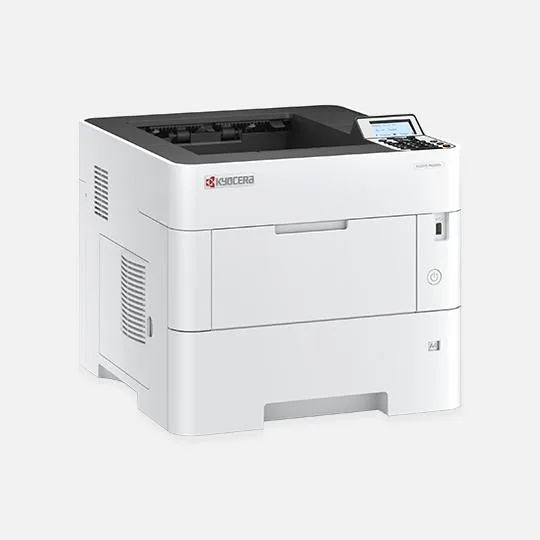
Printer
Kyocera ECOSYS PA5000x
- Speed
- Up to 52 ppm B&W (Letter)
- Output
- Black-and-white
- Format
- A4 / Letter-Legal
Kyocera ECOSYS PA5000x: black-and-white printer, up to 52 ppm (Letter), Letter/legal printing and automatic duplex. 600-sheet standard supply.
View specifications
Printer
Kyocera ECOSYS PA5500x
- Speed
- Up to 57 ppm B&W (Letter)
- Output
- Black-and-white
- Format
- A4 / Letter-Legal
Kyocera ECOSYS PA5500x: black-and-white printer, up to 57 ppm (Letter), Letter/legal printing and automatic duplex. 600-sheet standard supply.
View specifications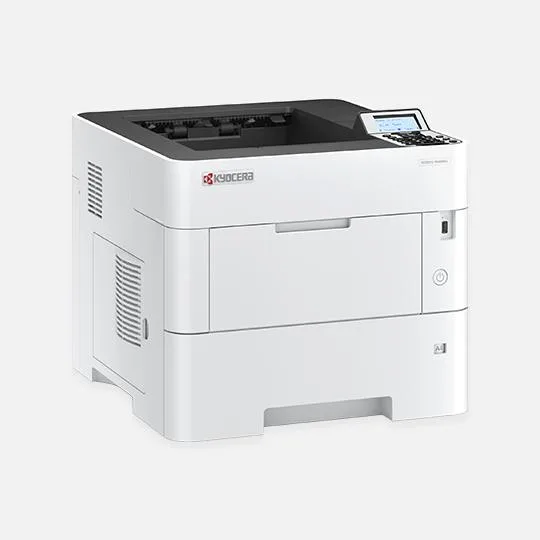
Printer
Kyocera ECOSYS PA6000x
- Speed
- Up to 62 ppm B&W (Letter)
- Output
- Black-and-white
- Format
- A4 / Letter-Legal
Kyocera ECOSYS PA6000x: black-and-white printer, up to 62 ppm (Letter), Letter/legal printing and automatic duplex. 600-sheet standard supply.
View specificationsSide-by-side model data
Office printers and compact MFPs
Speed is shown with its published paper-size basis.
| Model | Device | Output | Speed | Paper capacity | Details |
|---|---|---|---|---|---|
| Kyocera ECOSYS MA4000cifx | Multifunction printer | Color and black-and-white | Up to 42 ppm B&W / 42 ppm color (Letter) | 350 sheets standard; up to 2,000 with optional feeders | Details |
| Kyocera ECOSYS MA5500ifx | Multifunction printer | Black-and-white | Up to 57 ppm B&W (Letter) | 600 sheets standard; up to 2,600 with optional feeders | Details |
| Kyocera ECOSYS PA4000cx | Printer | Color and black-and-white | Up to 42 ppm B&W / 42 ppm color (Letter) | 650 sheets standard; up to 2,300 with optional feeders | Details |
| Kyocera ECOSYS PA4500x | Printer | Black-and-white | Up to 47 ppm B&W (Letter) | 600 sheets standard; up to 2,600 with optional feeders | Details |
| Kyocera ECOSYS PA5000x | Printer | Black-and-white | Up to 52 ppm B&W (Letter) | 600 sheets standard; up to 2,600 with optional feeders | Details |
| Kyocera ECOSYS PA5500x | Printer | Black-and-white | Up to 57 ppm B&W (Letter) | 600 sheets standard; up to 2,600 with optional feeders | Details |
| Kyocera ECOSYS PA6000x | Printer | Black-and-white | Up to 62 ppm B&W (Letter) | 600 sheets standard; up to 2,600 with optional feeders | Details |
Specifications describe the base record and verified options available when the product data was reviewed. Final configuration and availability are confirmed in the proposal.