

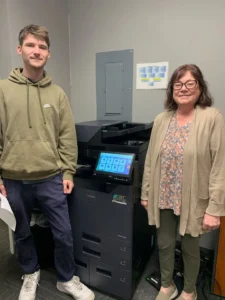
Office color proofing is the review of a representative printed sample before producing the full run. Use the final file, intended paper and planned copier settings, then check the result as the recipient will see it. An approved screen preview cannot establish every characteristic of the printed output.
This process is useful for proposals, presentation packets and customer-facing office documents. It gives the document owner a chance to catch content, layout and production issues while the correction is still small. The proof should represent the actual job, not an unrelated demonstration image.
First pass: is this the approved content?
Confirm the file version before reviewing color. Check names, dates, contact information, page order and any figures the document owner is responsible for approving. These errors can be easy to miss when everyone is concentrating on the appearance of a chart or photograph.
Include inserted pages and covers in the sample where they are part of the finished packet. If several versions will be distributed, identify which one is being approved. One attractive proof does not confirm the accuracy of a different recipient’s version.
Keep the file owner involved. The person operating the copier should not be expected to decide whether a commercial statement or project figure is correct simply because they are producing the output.
Second pass: is the information easy to read?
Review text, tables and charts at the size in which they will be used. Check small labels and information near page edges. Ask whether the visual distinction between chart elements remains clear in the physical output.
Do not rely on color alone to carry an essential distinction when the document may be copied or viewed differently later. The document’s creator can review labels and other presentation choices so the information remains understandable through the expected workflow.
Inspect the sample under ordinary conditions appropriate to its use. A quick glance at the top sheet beside the copier is less useful than opening the packet and reading the pages that contain the most important information.
Third pass: does the paper suit the job?
Use the stock intended for production and confirm that it is supported by the selected equipment and feed path. A proof on ordinary office paper does not fully represent a job that will later use a different approved stock.
Review handling as well as appearance. If the packet will be printed on both sides, folded or stapled, include those steps where applicable. Ask the supplier about the exact configuration and any paper restrictions that affect the workflow.
Keep the approved stock description with the job instructions. An unexplained last-minute substitution can change the result even when the file and nominal color setting remain the same.
Fourth pass: does the finished packet match the brief?
Check orientation, duplex layout, page sequence and finishing. Open the packet from beginning to end. A cover can look correct while an interior page is upside down or a table falls awkwardly across a fold.
If the document includes photographs or brand-sensitive color, have the responsible owner decide whether the office output is acceptable. Do not assume an office copier will reproduce a screen image or specialty print standard exactly. Discuss demanding color requirements with the appropriate print provider before committing to the run.
The purpose of the proof is to establish suitability for this document and audience. It should not become an unsupported claim about universal color accuracy across every device, paper and viewing condition.
Approval: record what was accepted
Identify the approved file, paper and production settings, and name the person authorizing the run. Keep the accepted proof available to the operator. If a material element changes, decide whether another sample is needed before continuing.
For recurring work, maintain a short instruction sheet with the office’s current process. Review it when the template, equipment or stock changes. A saved setting is useful only when staff understand which job it belongs to.
Avoid collecting approvals through several conflicting versions. One clear production instruction reduces the chance that the operator follows an older email while the document owner reviews a newer attachment.
Use the proof in your copier evaluation
Bring a representative customer-facing document to STAT Business Systems when reviewing color multifunction copiers. Tell us the intended paper, quantity and finished result. We can discuss the relevant configuration and demonstration questions with your team.
From Sunrise, we work with offices in Broward, Palm Beach and Miami-Dade. A useful equipment conversation starts with the documents your staff actually produce, and an approved proof gives everyone a concrete result to assess before the full run begins.