

Buy an Office Copier That Fits the Way Your Business Works
STAT Business Systems sells commercial copiers, multifunction printers, and wide-format equipment to businesses across Broward, Miami-Dade, and Palm Beach counties. We help you compare equipment around real document volume, users, scanning, color, security, paper handling, and budget.
As an authorized Kyocera and KIP dealer serving South Florida since 1986, we provide experienced guidance before the sale and remain available for installation, service, supplies, and future equipment needs.

Start With the Documents, Not the Model Number
The best commercial copier is not automatically the fastest or most expensive machine. It is the one that reliably handles your daily work without leaving the office short on capacity or paying for features it will not use.
How Much Does the Office Produce?
Estimate typical monthly print and copy volume, busy periods, number of users, and how often the current equipment creates delays.
What Happens After a Page Is Scanned?
Consider scan destinations, searchable files, email routing, shared folders, document security, and the steps employees repeat every day.
What Must the Finished Document Look Like?
Review color quality, paper sizes, finishing, envelopes, reports, proposals, client packets, plans, and other specialized output.
Compare Kyocera Copiers, Printers & KIP Wide Format
When comparing commercial copiers for sale, begin with the product family that fits the work. STAT can then recommend current equipment and configurations after reviewing your requirements.
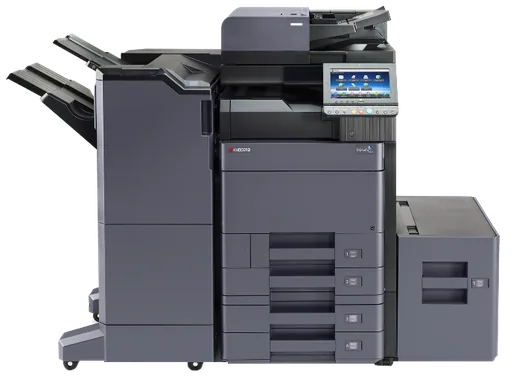
Kyocera TASKalfa Multifunction Copiers
Designed for shared office environments that need copying, printing, scanning, document routing, color or black-and-white output, and a range of paper-handling and finishing configurations.
Explore Kyocera equipment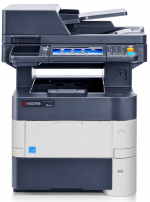
Kyocera ECOSYS Business Printers
A practical category for workgroups and departments that need reliable office printing or compact multifunction capability without the size and finishing options of a larger floor-standing copier.
Compare office printers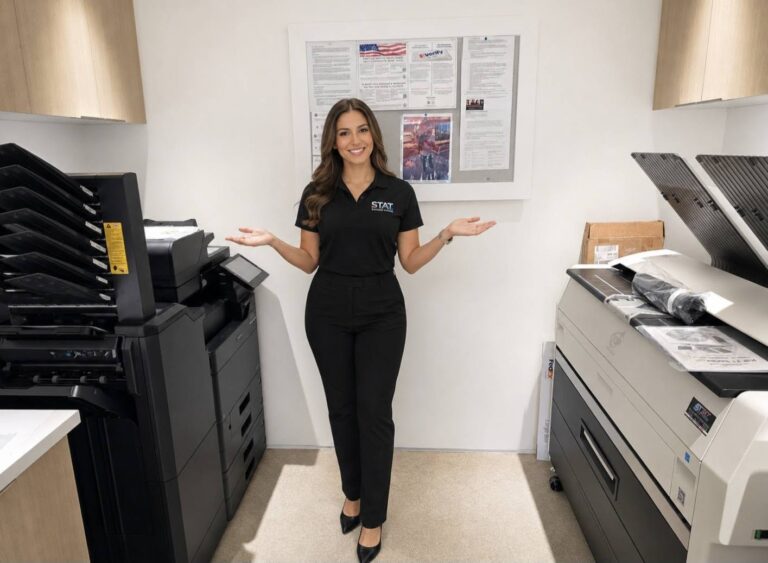
KIP Wide-Format Systems
Built for organizations that produce plans, drawings, maps, specifications, and technical documents, including construction, architecture, engineering, development, government, and design teams.
View wide-format equipmentWhat Should You Compare Before Buying a Copier?
Exact specifications differ by model and configuration. We will help you compare the numbers that matter for your office rather than choosing equipment from a generic online list.

A Useful Quote Starts With the Right Details
Commercial copier pricing varies significantly because the base device is only one part of the system. Speed, color capability, paper handling, finishing, scanning, accessories, installation, and service requirements all affect the final recommendation.
Send us those details for a recommendation and custom quote. If ownership is not the best path, we can also discuss copier leasing or rental options.
Kyocera & KIP Equipment With South Florida Support
Buying from STAT connects the equipment decision with a local company that can assist with installation, network coordination, user setup, service, maintenance, supplies, and future upgrades.

A Copier Sale Is the Beginning of the Relationship
Questions South Florida Businesses Ask Before Buying
What type of commercial copier should our office buy?
The right copier depends on monthly volume, users, color requirements, scan workflow, paper sizes, finishing, security, available space, and budget. STAT can compare Kyocera multifunction copiers and business printers after reviewing how your office handles documents.
Does STAT sell both color and black-and-white copiers?
Yes. STAT sells color and black-and-white commercial copiers and multifunction printers. We can help you determine whether the office needs one color system, a high-volume black-and-white device, smaller workgroup printers, or a combination of equipment.
Can STAT install and set up a copier after purchase?
Yes. Available delivery, installation, network coordination, device configuration, and user setup can be reviewed as part of the proposal. Tell us about the office location and technical environment so the appropriate requirements can be planned.
How much does a commercial copier cost?
Pricing depends on the model, speed, color capability, paper handling, finishing, scanning, accessories, installation, and support options. STAT provides custom quotes because two offices with similar print volume may still require very different configurations.
Does STAT sell KIP wide-format equipment?
Yes. STAT is an authorized KIP dealer offering wide-format systems for businesses and organizations that produce plans, drawings, maps, specifications, and other technical documents.
Can we receive service after buying a copier?
Yes. STAT offers service and maintenance options for eligible commercial equipment. Coverage, supplies, parts, labor, usage allowances, and other terms vary, so the proposal should be reviewed to understand what is included.
Where does STAT sell commercial copiers?
STAT Business Systems is based in Sunrise, Florida, and sells commercial copiers and printers to businesses throughout Broward County, Miami-Dade County, Palm Beach County, and surrounding South Florida communities.
Request a Commercial Copier Recommendation
Tell us what your current equipment does, where it falls short, and what your team needs from the next system. We will help you compare suitable Kyocera, office printer, and wide-format options.