

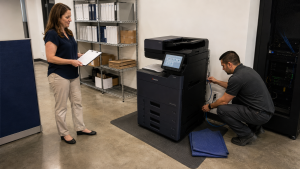
Copier delivery access should be confirmed with the building before the delivery appointment is treated as ready. The receiving route, elevator arrangements, required documents and on-site contact all need an owner. A machine waiting at the loading area cannot complete an installation inside an office it cannot reach.
This guide focuses on the route through the building. Network preparation, user access and training remain part of the wider office copier installation checklist. Keeping the two conversations connected helps everyone understand what must be ready on delivery day.
Give the building manager a specific request
Tell the building contact that office equipment will be delivered to a named suite. Provide the supplier’s contact details, proposed date and intended receiving location. Ask for the building’s current delivery procedure rather than relying on instructions from a previous move or another tenant.
Request any forms or documentation requirements early enough for the responsible parties to review them. A building may have rules about delivery windows, service entrances or vendor documentation. Those requirements are specific to the property and should be confirmed directly.
Assign someone to pass the confirmed instructions to the supplier. A building approval sitting in one employee’s inbox is not useful if the delivery coordinator never receives it. Keep the agreed details with the equipment order or installation brief.
Walk the full route to the copier location
Start where the vehicle is expected to arrive and follow the route to the intended equipment position. Identify doorways, turns, thresholds, elevators and any controlled-access points. Photograph or describe potential obstacles for the supplier so the route can be assessed before delivery.
Do not make your own lifting or disassembly plan. Give the equipment team the relevant measurements and let them confirm the appropriate handling arrangements. The dimensions of the ordered configuration and the delivery method both matter.
If the route crosses a shared space, ask who can authorize access and whether it must be reserved. A corridor that is open during your visit may be controlled at the scheduled delivery time. Confirm the actual conditions for the appointment.
Reserve the right elevator and receiving window
Where an elevator is required, ask the building which elevator deliveries must use and how it is reserved. Share its access instructions and relevant limits with the supplier. The building team and delivery team should confirm suitability; a passenger elevator reservation alone is not a complete handling plan.
Include the time needed for building entry and movement to the suite when discussing the appointment. If the building permits deliveries only within a defined window, communicate that restriction clearly. Avoid making assumptions about how the supplier will fit the work into it.
Ask what happens if the appointment changes. Identify the person who can update the reservation, notify the building and coordinate with the supplier. One shared contact chain reduces conflicting messages.
Prepare the suite for receiving
Confirm the final equipment position before the delivery team arrives. Clear the approved route and make sure ordinary office items have not returned to the access area. Keep required operating and service space available around the intended location.
The receiving contact should know what is being delivered and who can answer a configuration question. Have the order reference and installation brief available. If existing equipment is being removed, ensure its collection arrangements have been explicitly agreed rather than assuming removal is part of delivery.
Your IT contact should also know when their participation is needed. Physical delivery and network setup may involve different people. The schedule should allow the planned handoff without leaving an unapproved workaround for office staff to invent.
Use a short confirmation note
A useful final note can fit on one page. It should identify the delivery address and suite, approved entrance, receiving hours, elevator arrangements, on-site contact and supplier contact. Add building instructions that affect access and flag any unresolved question.
Send the same confirmed version to the people who need it. If details change, update that version and make the change explicit. Several conflicting email threads can be harder to use than a short, current instruction sheet.
Do not include passwords or unrelated sensitive records in the delivery note. Access to the building and access to the office’s systems should be handled through their respective approved processes.
Coordinate before the scheduled day
At STAT Business Systems, we work with offices across Broward, Palm Beach and Miami-Dade from our Sunrise location. When discussing a copier lease, tell us about the building and receiving route early. We can coordinate the equipment questions with the contacts responsible for your office, helping turn a proposed appointment into a practical delivery plan.