

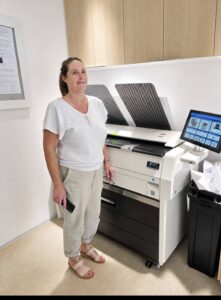
Blueprint printer paper rolls should be selected around the drawings your team produces and the media the exact printer supports. Begin with actual file sizes, expected set quantities and the frequency of paper changes. Roll capacity is useful only when it matches the work arriving at the machine.
For a South Florida construction or design office, that means discussing ordinary plan sets and unexpected revisions together. At STAT Business Systems, we help teams review wide format printers for their document workflow. Media planning belongs in that equipment conversation, not at the end of the installation.
Audit a week of drawing files
Collect representative files from an ordinary week and a busy deadline period. Record the intended printed sheet size, whether reduced copies are also required, the number of sets and who uses them. Remove confidential project details from any samples shared outside your organization.
Keep full-size drawings separate from reduced reference copies. The fact that a file can be printed smaller does not mean the smaller output is appropriate for every task. Your project team should define when scale matters and how reduced copies must be identified.
Also record unusual work rather than letting it disappear into the average. An occasional different sheet size may be manageable with a planned change, while frequent alternation can make the number of available media sources more significant.
Ask what each roll position can actually do
When reviewing a proposed KIP configuration, request the supported roll widths, media types and loading requirements for that exact system. Ask how the configuration handles jobs requiring different media and whether the proposed software exposes the information your operator needs.
Do not assume that a photograph showing several roll positions describes the machine being quoted. Product ranges can include different configurations. Have the equipment list state the supplied arrangement and any relevant options.
KIP’s official printer user guides are a starting point for model-specific operating information. Use the appropriate guide and supplier confirmation to settle media questions instead of transferring settings from an unrelated printer.
Test the intended output size deliberately
Use a known sample drawing and ask the operator to show the selected paper size, orientation and scaling setting. Check the resulting sheet against the intended output requirement. If measurement is part of the job, your project team should perform the appropriate scale verification.
Review the margins and any content close to the edge. A print that looks generally correct at a distance may still have clipped notes or an unsuitable reduction. Keep the approved sample and the settings that produced it with the workflow notes.
Ask how the operator can recognize a mismatch before releasing the full set. A preview or confirmation step is most useful when staff understand what to inspect rather than simply clicking through it.
Plan loading around the people doing it
Identify who will check media and arrange replacement rolls. Ask for a demonstration of the approved loading procedure and have the supplier explain any handling requirements. Staff should follow the model’s instructions rather than improvise because a deadline is approaching.
Consider where the next compatible roll will be stored and how it reaches the equipment. Storage should follow the media supplier’s recommendations and the office’s handling procedures. Keep material protected and identifiable so a substitute is not chosen merely because its width appears similar.
Record the approved stock with enough detail for a replacement order. “Blueprint paper” is an incomplete purchasing description when several types or sizes are present in the office.
Evaluate interruptions as well as capacity
A useful demonstration includes a change between two representative jobs. Observe what the operator must check, whether media must be changed and how the next set is identified. That shows the practical workflow more clearly than watching a single prepared sample run.
Ask how remaining media is reported and what staff should do when a job cannot be completed with the loaded material. Confirm the procedure for the actual configuration rather than assuming another model’s behavior.
Then compare the daily effort with your workload. Extra capacity may be useful where jobs repeatedly require different stock, but it should serve a documented need. A simpler arrangement can be sufficient when work is consistent and changes are infrequent.
Bring files and media questions to STAT
Share your common drawing sizes, a representative set, expected quantities and current loading problems. We can review KIP equipment questions with your team and discuss the requirements of your Broward, Palm Beach or Miami-Dade office. A clear media plan helps the equipment discussion stay focused on producing the right drawings with a workable routine.