

Copier paper trays should be configured around the sizes and stocks your office needs to keep available. Total sheet capacity matters, but so does the number of usable sources and the way jobs select them. Start with the daily document mix, then test the proposed tray arrangement using representative files.
An office that alternates among letter paper, legal paper and another approved stock may need a different arrangement from one producing nearly everything on the same paper. The equipment discussion should make that distinction visible rather than treating the largest capacity number as the automatic goal.
Make a list of what needs to stay loaded
Review ordinary jobs and record the paper each one requires. Include size, type and any characteristic relevant to the equipment’s approved handling. Identify which materials are used throughout the day and which appear only occasionally.
Mark the jobs that interrupt one another. If staff repeatedly remove one stock to load another, note the frequency and the people involved. This gives the supplier a practical problem to assess rather than a general request for “more trays.”
Keep printing requirements separate from original-document sizes. A legal-size original being scanned does not necessarily create a need for legal paper in an output tray. Describe both tasks clearly so the proposed configuration addresses the actual workflow.
Distinguish capacity from flexibility
A high-capacity paper source can support a large quantity of compatible stock, while several separate sources may support a different mix of jobs. The useful arrangement depends on the model and the office’s requirements. Ask what each supplied source can hold and which sizes it supports.
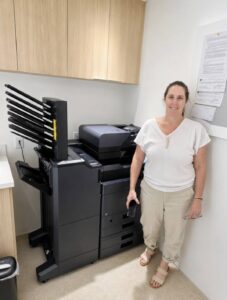
For a model-specific illustration, Kyocera’s TASKalfa MZ3200i specification sheet lists different optional paper-source configurations. The buying lesson is to compare the actual source capabilities rather than treating every capacity upgrade as equivalent.
Have the supplier show the proposed arrangement on the equipment list. If an accessory is needed to keep several materials available, confirm that it is included and compatible with the rest of the configuration.
Test how jobs choose their paper
Use a representative file from the application your staff normally uses. Ask the supplier or authorized IT contact to demonstrate how the intended size and type are selected in the approved workflow. Check that the output comes from the expected source.
Repeat the test for a second job requiring different paper. Observe whether the user needs to change settings and whether the machine’s configured source information matches the material actually loaded. A mismatch can create confusion even when the hardware itself is suitable.
Document the agreed process in terms ordinary users can follow. Keep administrative changes with authorized staff and avoid encouraging employees to alter shared defaults experimentally when one job behaves unexpectedly.
Decide what happens when a source runs out
Ask the supplier to explain the configured behavior for an empty source or unavailable stock. Does the job wait, or can the approved configuration use another suitable source? Confirm the answer for the exact equipment and settings rather than assuming another copier’s behavior.
Discuss which substitutions are acceptable for the office’s work. A routine internal draft and a customer packet on designated stock may have different requirements. The workflow owner should decide what is appropriate; the operator should not need to guess under deadline pressure.
Identify who replenishes paper and how the correct stock is recognized. Clear labels and an accessible operating note can help, provided they follow the office’s practices and do not cover controls or required equipment information.
Include storage and access in the plan
Review the full installed footprint, including optional paper equipment and any finishing accessories. Ask for the required operating and service space. Staff need to open sources and perform approved loading tasks without rearranging the office each time.
Store paper according to the relevant supplier guidance and keep the approved stock identifiable. Consider how it reaches the device from storage. A configuration that reduces changes at the copier may still need a practical replenishment routine.
When comparing proposals, include the staff effort required for ordinary loading and stock changes. Those observations can help explain why a particular configuration fits the office even when another offers a larger headline capacity.
Bring the document mix to STAT
Share your common paper sizes, approved stocks and examples of jobs that currently require repeated changes. We can discuss office printer configurations with your South Florida team and identify the paper-handling questions that need a demonstrated answer.
STAT Business Systems works from Sunrise with offices throughout Broward, Palm Beach and Miami-Dade. Choosing the trays alongside the daily workflow gives the equipment discussion a concrete purpose: keeping the right paper available for the documents your staff needs to produce.