

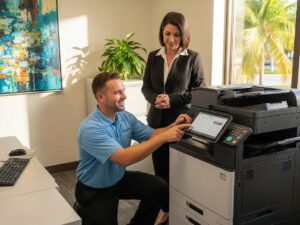
An office copier demonstration is most useful when you bring representative files and define the results you need to see. Test printing, scanning, paper handling and everyday usability on the proposed configuration, or have any differences documented. The goal is to answer your office’s questions before the equipment is ordered.
A supplier’s prepared sample can introduce a machine, but your own documents reveal whether the workflow fits your team. Build a small demonstration pack and ask the people who perform the work to help choose it. Use fictional or appropriately sanitized information in files shared for testing.
Pack one ordinary job
Choose a document your staff produces often. It might be a meeting packet, a standard form or an everyday correspondence set. Include the intended paper size, one-sided or two-sided requirement, color setting and any finishing.
Explain what a successful result looks like. The operator should know whether the office expects loose sheets, a stapled packet or another defined output. This avoids a demonstration that prints the file but leaves the important finishing step untested.
Ask an ordinary user to observe the controls and steps. A workflow can be technically available yet inconvenient for the person who must repeat it every day. Record the questions that user raises rather than assuming training will resolve every mismatch.
Pack one demanding job
Bring a file that represents a recurring challenge, such as a longer packet, detailed chart or mixed document set. Choose something the office genuinely needs to produce. An artificial stress test can distract from the actual buying decision.
Review the complete path to finished output. Note preparation, printing, collection and manual assembly. If timing matters, define the start and finish consistently so you can compare demonstrations fairly. A rated pages-per-minute figure does not describe every step in that path.
Do not make a purchasing decision from one observation alone. Use the test to identify questions about configuration, capacity or workflow that the supplier can address in the proposal.
Pack representative originals for scanning
If scanning is important, bring a small non-sensitive packet that resembles the originals your staff receives. Include the relevant sizes, sides and document quality. Explain the required destination and file features before the test starts.
Review the resulting file in the way the office expects to use it. Check page count, orientation, readability and any required search or export functionality. Have the supplier identify optional hardware or software involved in the demonstrated result.
For connected workflows, involve the appropriate IT contact. A demonstration in the supplier’s environment is useful, but your office’s accounts, permissions and approved destinations still need a confirmed implementation plan.
Pack the paper and finishing requirements
Bring samples of any special stock that matters to the purchase. Ask whether the exact model, source and finishing path support it. Ordinary paper in a demonstration does not answer a requirement for a different approved stock.
If booklets, envelopes or other specific output are important, request those tests explicitly. Describe the frequency and quantity so the supplier understands whether the requirement is occasional or central to daily work.
Keep the proposed accessory list beside your notes. When an option enables a required function, make sure it appears in the equipment configuration being priced. A capability shown on the demonstration unit should not disappear silently from the final proposal.
Leave room for ordinary user questions
Ask how staff select their usual paper, recognize the intended output location and request help. Have the demonstrator show routine tasks using the manufacturer’s approved procedures. The office does not need to learn repair work during a buying demonstration.
Discuss training for the people who will use the equipment after delivery. Identify any administrator or IT responsibilities separately from everyday operation. Clear roles help turn a successful demonstration into a workable installation plan.
Take notes in a simple format: requirement, observed result, configuration used and unresolved question. This produces a useful record without treating a sales conversation as a substitute for written equipment details.
Convert the demonstration into a proposal checklist
Review which requirements were confirmed and which need follow-up. Ask the supplier to document differences between the demonstration equipment and the proposed configuration. Keep the accepted sample files for installation testing where appropriate.
At STAT Business Systems, we can discuss copier leasing around the documents your South Florida team brings to the conversation. Share your demonstration pack, location and expected workload. From our Sunrise base, we work with offices across Broward, Palm Beach and Miami-Dade to clarify the equipment and setup requirements before an order is approved.