

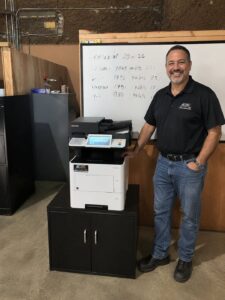
An office copier fax option should be specified when your business has a defined fax workflow that the new equipment must support. Check actual use, incoming document handling and the required connection before ordering. The word “multifunction” alone does not establish that the proposed machine includes fax hardware or a working fax arrangement.
Some offices use fax regularly; others retain an old number without knowing who still relies on it. A short workflow review can distinguish those situations. The purpose is to preserve necessary business communication and avoid ordering an option based only on habit.
Is fax still part of an active process?
Ask the departments that send and receive documents, rather than relying only on the purchasing contact. Identify the types of communication involved, how often they occur and who depends on them. Use process descriptions rather than sharing confidential documents in an equipment inquiry.
Record incoming and outgoing requirements separately. A team may send rarely but still receive important material through an established number. That incoming process deserves attention even if the copier’s fax controls are seldom used by most employees.
Have the responsible business owner decide which workflows must continue. Do not discontinue a communication channel simply because it appears old-fashioned or because a replacement machine offers a different feature.
Is the fax capability included in this configuration?
Ask the supplier to list any required fax hardware and relevant software or service components in the proposal. Confirm compatibility for the exact model being supplied. A product family’s broad feature description may include optional capabilities.
For example, Kyocera’s TASKalfa MZ3200i specifications identify fax as an option. That is a model-specific illustration of why buyers should check the actual equipment list instead of assuming every configuration has the same functions.
If an alternative fax service is being considered, have the provider explain its requirements and workflow separately. Do not assume that a hardware fax option and a separate service are interchangeable without testing the business process.
Who is responsible for the connection?
Identify the office contact, IT provider, communications provider and equipment supplier involved. Ask them to confirm the proposed connection and responsibilities before the changeover. The equipment can be correctly configured while another part of the communication path still needs work.
Discuss any existing number that must remain in use and who is responsible for coordinating it. Avoid making a device delivery date the first occasion on which the office asks about continuity of the fax arrangement.
Keep the confirmed plan with the installation brief. If a provider change or account update is involved, the authorized owner should manage it through the appropriate process. The copier supplier should receive the information needed for its part of the setup.
What happens to incoming documents?
Walk through the current process from receipt to the person responsible for acting on the document. Identify where output appears or how it reaches an approved destination. Confirm who checks for new material and what happens when that employee is absent.
Have the organization’s responsible team review access and handling requirements. A fax feature alone does not establish compliance with any particular privacy or security obligation. The complete workflow, configuration and office procedures matter.
Use the equipment discussion to surface unclear ownership. If nobody can explain who receives incoming documents, resolve that process question before simply reproducing the old setup on a new machine.
What should the acceptance test include?
Arrange an authorized test with non-sensitive sample content and a known destination. Check both sending and receiving if both are required. Have the relevant people confirm the result through the ordinary business workflow.
Review any confirmation or reporting information the office expects to use. Ask the supplier to explain what it indicates and how staff should handle a failed or unclear result. Do not treat a successful sample as proof that every future transmission will succeed.
Repeat any essential test after a material configuration change. Keep a short record of the accepted setup and the support contacts so staff know where to turn if the workflow stops behaving as expected.
Specify the need before choosing the copier
Bring your fax requirements to STAT Business Systems when reviewing Kyocera copiers and printers. We can discuss the equipment questions alongside printing, copying and scanning needs for your South Florida office. From Sunrise, we work with businesses across Broward, Palm Beach and Miami-Dade, helping make the proposed configuration and setup responsibilities clear before delivery.