

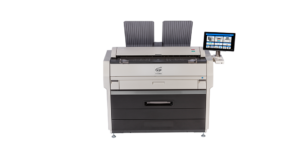
An 11-by-17-inch drawing can be useful for a meeting or desk review without replacing the full-size plan required for another task. The equipment decision should distinguish those purposes. A shared office copier and a wide-format system may both have a role, but they do not make the same output interchangeable.
At STAT Business Systems, we help South Florida design and construction firms compare Kyocera office equipment with KIP wide-format systems. Start by identifying who uses each drawing and what they need to do with it.
Keep separate sample output for the reduced-reference and full-size workflows. Record the file, intended purpose, settings and responsible reviewer for each. This gives staff a practical example of the two roles and helps prevent a convenient output route from being used for a task it was never approved to support.
Separate reference copies from scale-dependent work
A reduced copy may be convenient for discussing a sheet at a desk, marking a review item or assembling a compact reference packet. Full-size output may be required by the project’s document process or intended use.
Ask the responsible project team which size and scale are appropriate for each task. A machine’s ability to fit a drawing onto smaller paper does not determine whether that result is acceptable for measurement, submission or field use.
Label reduced reference copies clearly under the project’s procedures. Avoid allowing an easily carried review set to become an unexplained substitute for the approved output.
A hypothetical engineering office might use ledger-size copies for internal discussions while producing full-size sheets for another project step. That example describes two equipment roles, not a universal rule about how drawings should be used.
Test what happens when the file meets the paper
Bring a representative approved file with fine line work, small notes and the sheet sizes your team uses. Select the intended output size and inspect a sample before producing multiple copies.
Check the printing application’s scaling settings. “Fit to page” and “actual size” can produce different results. Confirm the intended setting with the responsible project team, and review borders and annotations for clipping.
Small text may become difficult to read in a reduced copy even when the overall drawing looks clean. Have the person who uses the packet inspect it at the intended reading size. Do not choose equipment based only on whether it can technically accept the file.
If a full-size result is required, test that output on the proposed wide-format configuration. Confirm paper support, collection arrangements and any color information that needs to remain meaningful.
Specify the two workflows separately
For the office copier, describe the required paper size, document packet and finishing method. Current color multifunction copiers and monochrome TASKalfa systems can be reviewed for supported ledger output and the complete configuration your staff needs.
For the KIP system, describe recurring drawing widths, set quantities, color or monochrome requirements and whether scanning is part of the workflow. The KIP 71G page provides one starting point for monochrome plan-production equipment.
Confirm the exact capabilities, accessories and availability in the proposal. Product-family labels alone do not define the final installed system.
Also review where finished drawings go. Long sheets and larger sets need room for collection and handling. The office layout should support the documents without forcing staff to carry loose pages through a crowded work area.
Keep the approved file source visible
A convenient local print route should not create a second unofficial drawing library. Decide which source supplies the file and who checks the requested version before output begins.
Use a sample check to confirm the intended sheet, size and settings. The equipment can reproduce what it receives; it does not approve project documents or decide which version is current.
When both reduced and full-size output are used, keep their purposes clear in training. Staff should know which device and settings apply to the particular request, and when to ask the project owner for clarification.
We serve design and construction businesses in Broward County and across South Florida from Sunrise. We can help compare the equipment and local support needed for these separate production roles.
Request a drawing-output configuration quote with your common file sizes, intended uses, color needs and representative sets. That lets us recommend an office copier, a wide-format system or a coordinated setup based on the work your team actually needs to complete.