

An insurance office may scan a document successfully and still struggle to find it later. A usable workflow needs more than a file arriving in a folder: the pages must be legible, the name must make sense and authorized staff must know where to look. If searching within a document is important, that function needs to be specified and tested separately.
We help South Florida offices review Kyocera multifunction equipment around practical document-capture tasks. A sample renewal or supporting-document packet can reveal the requirements before the next machine is selected.
Keep an approved sample file and document how it was produced. Note the original condition, scan settings, text-search result and authorized destination. This gives staff a practical quality reference when documents look faint or a search fails. It also helps distinguish a capture problem from a storage or indexing issue without assuming that all parts of the workflow are controlled by the copier.
Distinguish a scanned image from searchable text
A basic scan can create an image-based PDF. Searchable PDF adds a text-recognition process, often described as OCR, so supported text can be searched within the file.
Availability depends on the exact device, software and configuration. Confirm whether the required capability is included, optional or supplied through another supported workflow. Do not assume that every PDF produced by a multifunction copier is searchable.
Recognition quality also depends on the original and settings. Faint copies, handwriting and unusual layouts need a real test. The office should define which information must be legible even when text recognition is imperfect.
Start with one representative packet
Choose sanitized originals that reflect normal office intake. Include double-sided pages, different layouts and documents with small text. Identify anything that needs special handling rather than routine feeder use.
Decide whether color changes the meaning of particular pages. Also record typical batch size and the destination the staff member will use. These details help compare a compact MFP with a shared multifunction system.
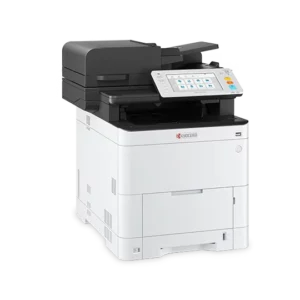
The ECOSYS MA4000cifx product page provides one starting point for the equipment discussion. We can also compare other current models based on your original handling and file requirements.
Agree on naming before increasing the scan volume
A file name should distinguish the document in a way authorized colleagues understand. Set a convention that fits the office’s record-management process without placing unnecessary private information in broadly visible names.
Identify the approved destination and review responsibility. Avoid leaving scans in an unexplained temporary folder where staff assume somebody else will file them.
IT should confirm destination permissions and authentication. The equipment’s scan function supports the organization’s workflow; it does not decide who may access a client record or how long that record should be retained.
Test retrieval from an ordinary workstation
After scanning the sample, have the receiving employee locate and open it. Confirm that all pages are present, readable and in order.
If searchable text is required, search for a word known to appear on a representative typed page. Test more than the first page so the result reflects the packet rather than a single easy original.
Also verify that the workflow is usable from the intended storage or application environment. A successful search in a test tool does not necessarily establish that the office’s regular system indexes the file in the same way.
Document any limitations and agree on the review process for exceptions. Staff should know when a poor original needs another capture method or manual attention.
Choose the equipment around repeatable capture
Compare feeder capability, supported originals, file functions and configuration with us. Print speed can matter to the office, but it does not describe the complete scan-and-retrieval task.
Include the people who handle intake, the staff who retrieve records and the IT provider in the review. Their requirements together create a clearer equipment specification than a general request for “better scanning.”
For firms in Broward County, we can discuss local setup and support from Sunrise. Our copier leasing service provides a starting point for evaluating the acquisition and service arrangement alongside the required workflow.
Request an insurance office equipment quote with a sanitized sample packet, intended destination and searchable-file requirement. We can help identify the configuration and demonstration needed to turn document capture into a process staff can use again later.