

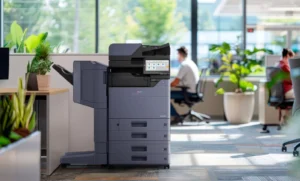
If your office punches every report by hand before putting it in a binder, the copier’s finishing configuration deserves a closer look. Automated hole punching may reduce a repeated assembly task, but only when the accessory, paper, output orientation and binder pattern match the documents your team produces.
At STAT Business Systems, we help South Florida offices evaluate finishing as part of a complete Kyocera multifunction configuration. Use a finished sample binder to guide the discussion rather than asking only whether a machine “has a finisher.”
Keep the approved binder sample with the job instructions. Mark which stock and settings were used, and identify any sections that still require manual assembly. A visible finished example helps a new employee recognize the expected result and makes a later support discussion more specific than saying that the holes look wrong.
Before the demonstration: define the finished document
Choose an ordinary report that staff produce repeatedly. Note its paper size, whether it is single- or double-sided and the number of pages in each finished set. Bring the actual binder or a clear specification of its hole pattern.
Identify the required edge and orientation. A report with portrait pages, landscape exhibits or larger folded inserts can require different handling from a simple letter-size packet. Describe the exceptions so they are not discovered after installation.
Also record whether the office needs punching alone, stapling on other jobs or a combination of finishing functions. Different accessories have different capabilities. Confirm the exact unit and supported configuration for the candidate model.
If the binder includes tabs, covers or heavier stock, ask which materials are supported through the relevant path. Do not assume every paper source and finishing accessory handles all the same media.
During the demonstration: run the actual assembly job
Use the file and paper that represent normal office work. Start with one set and inspect it before producing several copies.
- Select the intended duplex and paper settings.
- Choose the required punch pattern and edge.
- Collect the finished output without changing its order.
- Place the pages in the intended binder.
- Check alignment, readability near the holes and page orientation.
- Repeat the job from an ordinary user workstation.
Notice which steps remain manual. Staff may still need to insert dividers, separate sections or add a cover. Automated punching helps only the portion of the process the configuration actually performs.
If the first result is wrong, determine whether the cause is the file layout, driver settings or equipment configuration. Fix the sample and repeat it rather than approving a proposal with an unresolved “we can adjust that later” assumption.
Our color multifunction copier pages provide a starting point for comparing shared systems. The accessory list and tested workflow should be written into the final proposal.
After the test: decide whether the option has a recurring role
Count how often the office produces the binder job and how many sets it normally requires. Record the time staff currently spend preparing holes and correcting alignment. Avoid turning a single unusually large project into an assumed daily workload.
Compare that recurring task with the cost and space implications of the proposed finisher. Include its installed footprint and access needs; a configuration that looks compact on a product page may occupy more space with finishing attached.
An accounting, legal or association office in Palm Beach County may value consistent packet preparation as much as reduced manual work. Test both outcomes. Pages that fit the binder correctly and remain in order are the actual deliverable.
Ask who will train staff on common finishing presets and who they should contact if a job begins producing an unexpected result. A feature that requires an undocumented sequence from one employee is harder to keep useful over time.
You may decide that automated punching is justified, or that an occasional binder job can remain manual. Either conclusion is stronger when based on the office’s real materials and frequency.
We can review copier leasing options around the tested configuration and the support arrangement your office needs. Current accessory availability and compatibility are confirmed for the exact model in the proposal.
Request a copier finishing quote with your binder pattern, paper sizes, sample file and production frequency. We can help determine which finishing options have a clear purpose and document the configuration needed to produce the result reliably.