

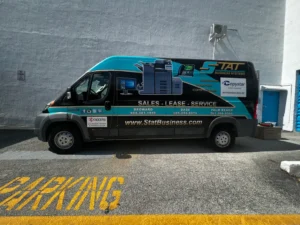
A local copier proposal should explain what happens after the equipment is selected. Buyers need to know who coordinates the handoff, which workflows will be set up and how the office requests support once staff begin using the machine. Those details make the provider relationship easier to evaluate alongside the model and commercial terms.
For businesses in Palm Beach County, STAT Business Systems provides equipment guidance and local support from our team in Sunrise. Use the following handoff questions to make the next equipment discussion concrete.
Bring the handoff questions to the proposal review, not only to delivery day. A named office contact and a short list of required workflows let the provider clarify setup responsibilities early. The answers also give staff a practical record to use when the equipment is installed and the support relationship begins.
Before approval: who confirms the complete configuration?
The proposal should identify the model and installed accessories, including any document processor, paper feeders or finishing equipment required for your work. Clarify which functions are included and which need additional software or setup.
Have the office manager and IT contact review the same configuration. Purchasing should not approve one accessory list while staff expect another based on a photograph or earlier discussion.
Our Kyocera product catalog gives you a way to compare current equipment. Use the product pages to identify questions, then have the final proposal settle them in writing.
Before delivery: who coordinates the office and building?
Name the receiving contact and identify any delivery access requirements. Confirm the intended position, the full installed footprint and space needed for loading and service.
The building contact may need to review an access route or delivery window, while IT prepares the network and authorized scan destinations. Each person should know what must be ready before the equipment arrives.
A desired handoff date should be confirmed alongside current equipment availability and practical site requirements. Do not assume that approving a model automatically establishes the delivery schedule.
During setup: which jobs will the team demonstrate?
Choose the ordinary documents staff need to produce: a standard print job, a copy from an original, a representative scan and any recurring finishing task.
Test from the intended workstations and inspect the final results. Staff should know which queue to use, where scanned files arrive and how to select common settings. An equipment handoff is more useful when it shows the office’s actual work rather than only a test page.
If a function depends on an application or licensed integration, clarify which provider handles that part. The equipment, IT and application responsibilities should be visible rather than left for staff to infer.
After setup: how do supplies and service requests work?
Ask how the office obtains the correct supplies and what monitoring, if any, is included in the arrangement. Identify who receives notifications and who acts on them. A notification process is only useful when somebody owns the next step.
For service requests, record the support contact and the information staff should provide. Include the model, location, displayed message and a sanitized sample where appropriate.
Confirm the actual service scope and terms in the agreement. “Local support” should lead to an understandable process, not an assumed response guarantee or a belief that every application issue is covered by equipment maintenance.
Our copier service page and copier leasing page provide starting points for discussing those equipment and support roles together.
When staff or requirements change: who reviews the workflow?
A new employee, department or document task may require training or a configuration review. Keep the equipment record and support route available so the office can describe the change clearly.
Do not rely on one employee’s memory for scan destinations, supply responsibility or common settings. A short documented handoff helps the business retain useful knowledge after installation.
If the office expands, review the new work before adding another device or accessory. The provider should understand the operational requirement rather than simply repeat the original configuration.
We have served South Florida businesses since 1986. Our role is to help local offices choose equipment, coordinate practical setup and understand the support arrangement behind it.
Request a Palm Beach County copier quote with your location, document requirements, IT contact and intended timing. We can build the proposal around both the machine and the handoff your team needs to begin using it confidently.