

A business spread across two floors may need more than one practical print route even when its monthly volume is modest. The decision is not simply whether one copier has enough speed. It is whether the equipment layout serves employees, document security and the way work moves between departments.
We help South Florida offices compare shared Kyocera systems with departmental printer options. Before requesting another machine, evaluate the trips staff make, the tasks performed at each location and the support responsibilities that an additional device would create.
Ask each department to identify one task that genuinely needs nearby equipment. That creates a clearer discussion than general complaints about walking. The resulting examples can be tested against the proposed layout and help explain why the second device needs printing alone, document capture or a more complete shared configuration.
When one shared copier may be sufficient
A centralized multifunction system can make sense when employees already pass the equipment area, most work is electronic and longer production jobs happen in one department. Shared access may also simplify supplies and support.
Count actual trips rather than assuming everyone crosses the building for every document. Some teams may print very little or collect output during another routine task. The layout can be workable if urgent jobs are uncommon and the collection point suits the documents involved.
Our Kyocera equipment catalog helps compare shared TASKalfa configurations after the business has defined those requirements.
When a departmental printer may be the better second device
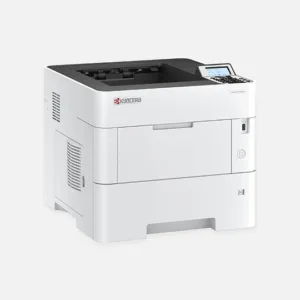
A print-only machine may meet the need on a floor where employees mainly receive electronic files and require local output. It can provide a nearby collection point without duplicating every copying and scanning function.
Check whether staff still need to handle originals locally. If they regularly scan signed documents or copy paper, a print-only device does not remove those trips. A compact multifunction system may deserve consideration instead.
Use our office printer listings to examine these different roles. Device selection should follow the local task, not the assumption that every additional floor needs a full-size copier.
When two multifunction systems deserve consideration
Separate MFPs may be useful when both floors have substantial paper intake, recurring scan work or larger output demands. They can also provide distinct authorized collection points where departments handle different document types.
The proposal still needs a reason for each device. Avoid duplicating large finishing units or unusual paper sources on both floors unless staff actually need them in both places.
Describe the workloads separately. The total monthly meter count cannot tell us which department creates a queue, which originals need scanning or where a finishing task takes place.
A short observation exercise before requesting quotes
Over several representative workdays, record the tasks that trigger travel to the current copier. Note the departure point, document type and whether the trip caused a meaningful delay.
Also record interrupted work. A reception employee leaving a desk, a coordinator collecting confidential output or a staff member carrying a large packet between floors presents a different problem from someone casually picking up one page.
Keep the observation practical and respectful. The purpose is to understand equipment access, not to monitor individual employee performance.
Use the results to identify a device role and an intended location. Check network readiness, the complete installed footprint and room for paper loading and service.
Plan the two-device workflow before installation
Staff should know which jobs go to each device and how to recognize the correct queue. Test printing from the intended workstations, not just the computer used during setup.
If either device will serve as a backup for the other, test that route and identify any limitations. A smaller printer may handle ordinary pages while larger originals or finishing jobs still require the shared copier.
Supply ordering and support contacts should be clear for both machines. If the office wants a broader review of equipment roles and recurring service needs, our managed print services can support that discussion.
For businesses in Broward County, we can review local installation and service needs from our Sunrise team. The acquisition proposal should explain the configuration and support scope for each location within the office.
Request a two-floor equipment quote with the layout, tasks performed on each floor and the delays you want to reduce. We can compare one shared system, a shared copier plus a departmental printer, or two MFPs around a clear operational need.