

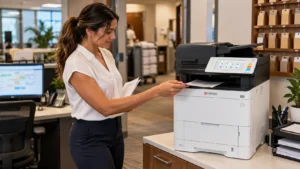
Hotel back offices handle documents that rarely appear in a guest-facing technology discussion. Shift materials, purchasing records, event information and administrative paperwork still need dependable output and a clear scan process. Equipment selection should follow those staff workflows rather than the size or appearance of the property.
We help hospitality businesses in Broward County plan Kyocera printers and multifunction systems with local setup and service. These questions can help a Fort Lauderdale hotel describe what its operations team actually needs before requesting a proposal.
Ask department supervisors to identify the documents they need immediately and those that can be produced in a planned batch. The distinction can change the equipment layout more than the total page count. It also helps the property define a practical backup route for the work that cannot wait.
Does every department need its own multifunction machine?
Not automatically. Start by listing where originals are copied or scanned and where employees mainly collect printed output. A print-only device may serve one work area, while a shared multifunction system handles document capture and larger administrative jobs.
Look at the route staff take between departments. A centralized copier is useful only if employees can reach it without creating repeated delays or leaving a desk uncovered. Conversely, several underused devices can add supply and support responsibilities without improving the work.
Our office printer comparison gives you a way to examine compact printer and MFP roles alongside larger shared systems. Choose the device role before deciding on the model.
Which jobs must remain available during a busy shift?
Identify the documents staff need at predictable handoff times. Describe the usual quantity, deadline and collection point. An average monthly page count can hide a brief period when several departments need output together.
Keep the requirement specific. “Print the standard operations packet before the shift handoff” is more useful than “a fast hotel copier.” It tells us which task to test and whether paper capacity, output handling or a separate departmental device matters.
Also establish a fallback route if the usual machine is unavailable. The alternative should be known to staff and should preserve the property’s access and confidentiality policies.
Where should scanned purchasing and administrative records go?
Decide who receives each document type and how the file is reviewed. A scan should reach an authorized destination that the receiving team can access, with a useful name and a complete page set.
IT should confirm supported authentication and destination requirements. If the workflow depends on an application or licensed integration, identify that dependency before the equipment is ordered.
Use sanitized examples during a demonstration. Confirm legibility, page order and file size from the receiving employee’s computer. Do not assume a successful scan at the control panel means the office’s entire record-handling process is complete.
How should color and paper be managed?
Separate routine internal output from documents where color changes the usefulness of the information. Event diagrams or color-coded materials may need it; other administrative pages may not.
Confirm whether the team uses plain letter paper, legal stock, preprinted forms or another approved material. Test the actual stock on the proposed model and feed path. A photograph of a machine with many trays does not establish that those sources are included in the configuration.
If several departments share a color copier, agree on sensible defaults and explain how staff select exceptions. The color multifunction catalog helps compare models once those requirements are clear.
What needs to be settled before installation?
Name an office contact, an IT contact and the person who will approve the equipment handoff. Confirm the intended location, access route, network readiness and the staff workflows to demonstrate during setup.
Discuss the copier leasing arrangement separately from the service scope. Ask what the proposal includes for delivery, training, supplies and support, and how requests will be handled. The written terms should match the operations team’s expectations.
Finally, plan for staff changes. A short record of device locations, common workflows, supply responsibility and service contacts is more durable than relying on one experienced employee to remember everything.
STAT Business Systems serves South Florida from Sunrise. We can help review equipment around a hotel’s actual administrative work without assuming that its guest capacity translates directly into print demand.
Request a hospitality equipment quote with the departments involved, recurring shift documents, scan needs and intended installation timing. A task-based proposal gives the property a clearer way to compare equipment and support than a generic request for a hotel printer.