

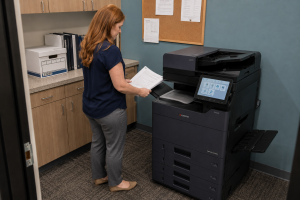
Office copier envelope printing should be tested with the exact envelope, file and equipment configuration your team intends to use. Confirm that the stock is approved for the device and feed path, then review feeding and address placement on a small sample. An envelope that fits in a tray is not automatically suitable for that workflow.
This matters when an office wants to produce occasional correspondence without creating a separate manual process each time. At STAT Business Systems, we help South Florida businesses discuss office printer requirements using real output examples. Envelopes belong in that discussion when they are a recurring part of the work.
Start with the actual envelope stock
Bring an unused sample and its packaging or specification details. Record the size and construction, including any features that may affect suitability. Ask the supplier to confirm compatibility using the manufacturer’s instructions for the exact model and intended source.
Do not substitute a similar-looking envelope during the demonstration. Differences in stock can change whether the sample represents your real job. If your office uses several envelope types, list each one and explain how frequently it is used.
Keep the approved stock information with the purchasing record. Otherwise a later reorder can unintentionally change the material while staff continue using the settings established for the original sample.
Confirm the approved feed path
Ask the demonstrator to identify which paper source should be used and how the stock should be prepared and loaded. Follow the equipment’s instructions for orientation, quantity and handling. There is no single loading direction that should be assumed for every office copier.
Check whether the intended process changes when the office switches between ordinary paper and envelopes. If staff must reconfigure a source, have that step demonstrated and documented. A usable workflow includes returning the equipment to its normal state afterward.
Avoid purchasing an accessory based solely on an informal description such as “envelope capable.” Ask which specific job it enables, what limits apply and whether it is included in the quoted configuration.
Test the address file as well as the machine
Use the application and template your team will use after installation. Enter fictional recipient information for the sample. Confirm the selected envelope size, orientation and other relevant print settings with the supplier or authorized IT contact.
Print a small trial and review the placement of every required element. Look at the return address, recipient block and any office-specific content. Check the physical output rather than relying on how the template appears on screen.
If the office must meet a mailing provider’s layout requirements, have the person responsible for mailing verify the result against that provider’s current instructions. The equipment demonstration should not be treated as independent approval of every mailing requirement.
Observe a repeatable short run
One successful envelope establishes only that one attempt worked. Ask to run a representative small batch within the manufacturer’s approved procedure. Observe the operator steps and check the output for consistency before deciding that the process suits your office.
Record any manual attention the job requires. Someone may need to load stock, select a specific source, review a proof and reset the ordinary defaults. Those steps should be included when estimating the work rather than describing the task as completely automatic.
If a problem occurs, pause and use the approved support route. Staff should not improvise media modifications or continue feeding unsuitable stock to force a result. The supplier can help determine whether the issue concerns material, settings or configuration.
Match the workflow to the frequency
An occasional small mailing and a recurring high-volume mailing create different operational demands. Estimate how often the task occurs, how many pieces are normally produced and how much staff time is available to supervise it.
Consider the rest of the office’s printing needs at the same time. A workflow that occupies the only shared copier during a busy period may need a planned production window. It may also be appropriate to keep some mailing work with an established outside provider.
The decision should account for preparation, printing, review and the rest of the mailing process. Faster envelope output does not remove the need for accurate recipient data and the office’s usual checks.
Keep a one-page operating note
After a successful demonstration, record the approved stock, source, template and responsible contact. Include a sample image or retained envelope in the office’s own training materials where appropriate. Keep personal recipient data out of the example.
Bring your envelope requirements to STAT before approving a copier configuration. From Sunrise, we work with offices across Broward, Palm Beach and Miami-Dade. We can review the intended job and help identify the questions that need a demonstrated answer before the equipment is ordered.