

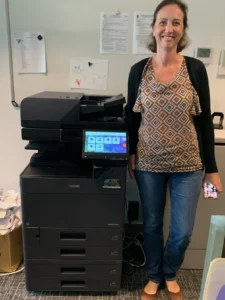
Office printer placement should follow the route documents take through the workplace. Put the device where authorized users can reach it, collect output and replenish supplies without obstructing other work. Check the complete installed footprint and the manufacturer’s access requirements before committing to a corner on the floor plan.
A printer can fit into a space and still be inconvenient to use there. For South Florida offices planning a move, lease or equipment change, deciding on the location early gives the office team, building contact and equipment supplier time to resolve those practical problems.
Map three common document journeys
Choose three tasks that happen regularly. For example, an administrator may print a packet, a colleague may scan incoming correspondence, and another employee may collect documents for a meeting. Mark where each task starts, where it finishes and how often the employee makes that trip.
This small exercise reveals whether the proposed location serves the people doing the work. It can also show that a central position on the floor plan is not necessarily central to the document process. Avoid making the decision only around the preferences of the person ordering the machine.
Include occasional users and people with mobility needs in the discussion. They should be able to approach the controls and collect documents through the office’s approved accessible route. Have the responsible facilities team confirm the space requirements that apply to your workplace.
Measure the working space, not just the cabinet
Request dimensions for the complete configuration, including the document feeder, paper accessories and finisher where applicable. Ask the supplier for the required operating and service clearances. The space needed to open a tray or access a service panel may extend beyond the equipment’s closed footprint.
Check the route into the location as well. A suitable destination is not enough if the configured equipment cannot reach it through the available doors and turns. Coordinate delivery questions using our office copier installation checklist.
Keep the nearby work area practical. Staff need somewhere appropriate to organize originals and collect finished sets. Supplies should have an assigned storage location rather than gradually occupying the space intended for equipment access.
Review what happens to printed documents
Walk through the pickup process. Who can see the output tray? How long do documents usually remain there? Is the printer next to a visitor waiting area or a shared passage? The answers should inform both placement and the office’s document-handling procedures.
If your workflow requires controlled release or other access features, discuss the requirement with your IT provider and supplier. Availability and setup depend on the selected equipment and software. Placement alone does not establish an adequate information-security process.
An office should also decide who clears uncollected material and how it is handled under existing policy. Moving a pile from the output tray to an open shelf does not resolve ownership of the documents.
Confirm the environment and connections
Have the supplier review the intended location against the exact device’s operating requirements. Discuss power, connectivity, ventilation and access for routine tasks. Do not place equipment in an area simply because an outlet is available or an old printer once stood there.
Ask your IT contact to approve the connection method and identify any preparation required. A last-minute decision to rely on a different network arrangement can change the installation work. Keep the equipment supplier and IT provider working from the same location plan.
Consider nearby activity too. A place that works during a quiet walkthrough may conflict with deliveries, reception traffic or regular meetings. Observe the space during the office’s ordinary busy period before treating the layout as final.
Test the location with the people using it
Before delivery, mark the proposed footprint and access area using an office-approved method. Ask staff to walk through a few typical tasks. This is a practical layout check, not a substitute for the supplier’s clearance specifications or your building’s requirements.
Review who replenishes paper, where replacement supplies are stored and how a technician will reach the equipment. If any task requires moving furniture each time, revisit the layout now. Repeated small obstacles can make a nominally convenient location frustrating in daily use.
Document the agreed position on the installation brief. A named contact should be able to confirm it when the delivery team arrives, especially if the person who selected the equipment will be off site.
Choose the location and equipment together
At STAT Business Systems in Sunrise, we discuss office printers with businesses throughout Broward, Palm Beach and Miami-Dade. Share a floor plan, the proposed equipment area and the tasks your staff perform. We can help review the placement questions alongside the configuration, so both decisions support the same working process.