

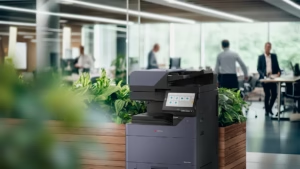
Vibrant color and enterprise-grade security shouldn’t be a compromise. The new Kyocera TASKalfa MZ-ci series (MZ2501ci through MZ7001ci) has officially arrived at STAT Business Systems, replacing our legacy “54ci” and “53ci” models with more intelligent, sustainable designs.
The Future of Color Printing
The transition to the MZ-ci series brings several key updates that South Florida businesses have been asking for:
- Print Quality: The series supports true 1200 × 1200 dpi printing. Select the appropriate print settings and media for the result you need.
- Model-Specific Warm-Up: Warm-up times vary across the range. Kyocera specifies 25 seconds or less for the MZ7001ci; confirm the published figure for the model and configuration being quoted.
- Optional Finishing: Compatible configurations can add stapling, booklet folding or Z-folding. Available accessories and capacities vary by model and require the appropriate hardware.
- Fleet Visibility: Kyocera Fleet Services supports remote device management when configured. Confirm monitoring and support arrangements with our local service team.
Scalable for Your Footprint
Whether you need the MZ2501ci at up to 25 ppm or the MZ7001ci at up to 70 ppm on letter-size paper, STAT can help compare the configuration for your workload. Contact us to confirm current availability and delivery timing. See our Broward property-management installation for a local example.
New Color Model FAQ
Why consider moving from a 3554ci to an MZ3501ci? Compare the current device’s condition, supported workflows, software options and service costs with the proposed replacement. Ask for a demonstration using your own documents before deciding. You can also review our current offers.
What happened to the 7353ci and 8353ci? These models are listed in our legacy range. The MZ-ci range includes models up to 70 ppm; confirm output, volume and finishing needs rather than treating every MZ model as a like-for-like replacement for a faster legacy machine.
Do these color copiers support mobile printing? Supported options include Apple AirPrint, Mopria and Kyocera mobile applications. Compatibility and security depend on the device, network and application configuration.
Can these machines handle heavy cardstock? Kyocera specifies supported media up to 300 gsm through applicable trays and the multipurpose tray. Duplex printing and finishing can have lower limits; confirm media size, type and weight for the complete job.
How can I learn more about the specifications? See the MZ5001ci or MZ7001ci technical sheets on our product pages, or contact STAT to review a configuration.