South Florida’s Copier Leasing Experts

Proudly Serving South Florida Since 1986

Kyocera Authorized Dealer - KIP Authorized Dealer Florida

Broward:  954-321-1949

Miami-Dade:  305-354-8074

Palm Beach:  561-368-9542

Commercial monochrome systems

Black & White Multifunction Copiers for Business

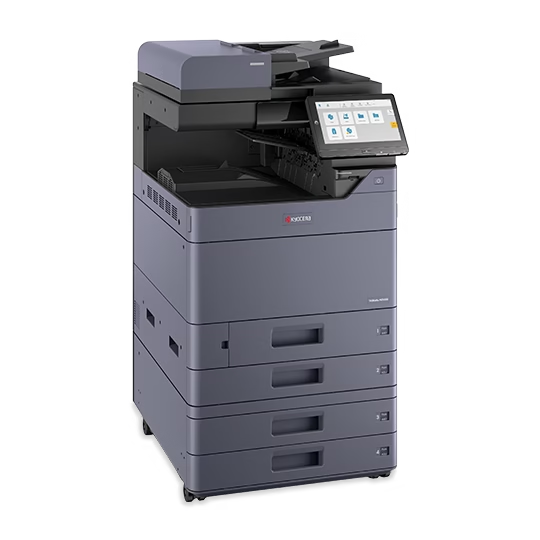
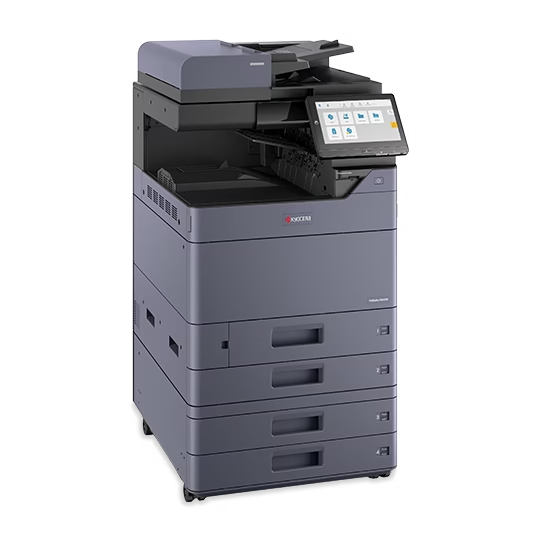
For contracts, records, forms and high-volume office documents, the best copy machines for business often put the budget into dependable monochrome output, scanning, paper capacity and uptime instead of color capability that rarely gets used.

  • Kyocera TASKalfa and ECOSYS options
  • Verified Letter-speed and paper specifications
  • Leasing, purchase and local service paths
Monochromeefficient routine output
MFPprint, copy and scan workflows
LocalSouth Florida service support

Live product data

Current black-and-white multifunction copiers

Use the comparison to establish the right equipment tier. Published speeds are based on the stated paper size; document processors, finishing and optional paper sources are confirmed separately.

Kyocera monochrome systems

Compare black-and-white multifunction copiers

Compare shared TASKalfa MZ systems and a compact ECOSYS option by output speed, paper support and everyday office fit.

Multifunction printer

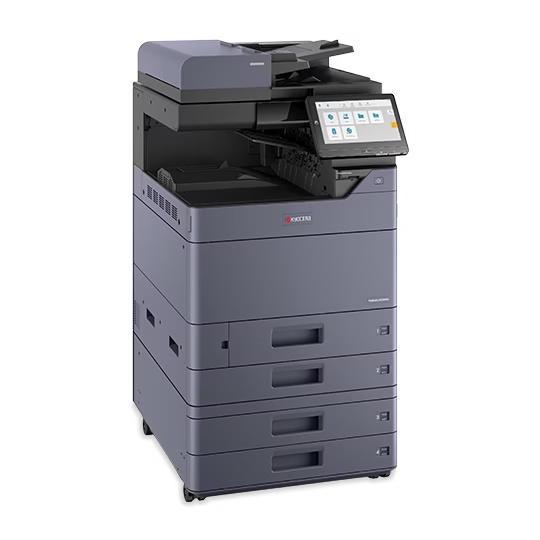
Kyocera TASKalfa MZ4001i

Speed
Up to 40 ppm B&W (Letter)
Output
Black-and-white
Format
A3 / Ledger

Kyocera TASKalfa MZ4001i: black-and-white multifunction copier, up to 40 ppm (Letter), ledger printing and automatic duplex. 1,150-sheet standard supply.

View specifications
Multifunction printer

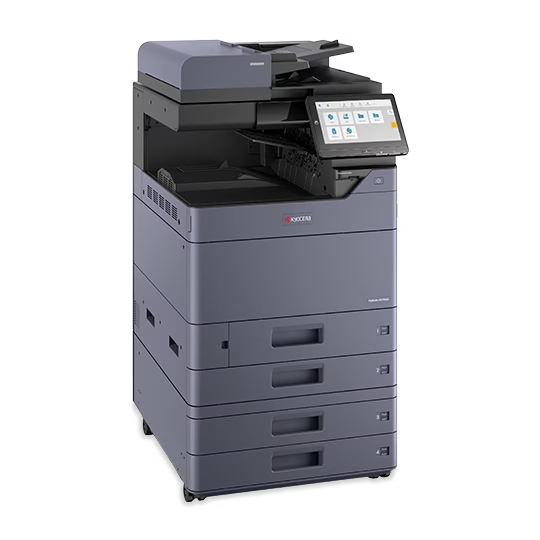
Kyocera TASKalfa MZ5001i

Speed
Up to 50 ppm B&W (Letter)
Output
Black-and-white
Format
A3 / Ledger

Kyocera TASKalfa MZ5001i: black-and-white multifunction copier, up to 50 ppm (Letter), ledger printing and automatic duplex. 1,150-sheet standard supply.

View specifications

Multifunction printer

Kyocera TASKalfa MZ6001i

Speed
Up to 60 ppm B&W (Letter)
Output
Black-and-white
Format
A3 / Ledger

Kyocera TASKalfa MZ6001i: black-and-white multifunction copier, up to 60 ppm (Letter), ledger printing and automatic duplex. 1,150-sheet standard supply.

View specifications

Multifunction printer

Kyocera TASKalfa MZ7001i

Speed
Up to 70 ppm B&W (Letter)
Output
Black-and-white
Format
A3 / Ledger

Kyocera TASKalfa MZ7001i: black-and-white multifunction copier, up to 70 ppm (Letter), ledger printing and automatic duplex. 1,150-sheet standard supply.

View specifications

Multifunction printer

Kyocera ECOSYS MA5500ifx

Speed
Up to 57 ppm B&W (Letter)
Output
Black-and-white
Format
A4 / Letter-Legal

Kyocera ECOSYS MA5500ifx: black-and-white multifunction printer, up to 57 ppm (Letter), Letter/legal printing and automatic duplex. 600-sheet standard supply.

View specifications

Side-by-side model data

Black-and-white multifunction copiers

Speed is shown with its published paper-size basis.

Black-and-white multifunction copiers specifications
ModelB&W speedFormatPaper capacityFirst printDetails
Kyocera TASKalfa MZ4001i Up to 40 ppm B&W (Letter) A3 / Ledger 1,150 sheets standard; up to 7,150 with optional feeders 5.1 sec. Details
Kyocera TASKalfa MZ5001i Up to 50 ppm B&W (Letter) A3 / Ledger 1,150 sheets standard; up to 7,150 with optional feeders 4.3 sec. Details
Kyocera TASKalfa MZ6001i Up to 60 ppm B&W (Letter) A3 / Ledger 1,150 sheets standard; up to 7,150 with optional feeders 3.8 sec. Details
Kyocera TASKalfa MZ7001i Up to 70 ppm B&W (Letter) A3 / Ledger 1,150 sheets standard; up to 7,150 with optional feeders 3.7 sec. Details
Kyocera ECOSYS MA5500ifx Up to 57 ppm B&W (Letter) A4 / Letter-Legal 600 sheets standard; up to 2,600 with optional feeders 4.5 sec. Details

Specifications describe the base record and verified options available when the product data was reviewed. Final configuration and availability are confirmed in the proposal.

Monochrome by design

Put capacity where the office produces the most pages

A black-and-white copier is not a reduced version of a color machine. In the right environment, it is a deliberate production tool built around routine output, fast document capture and fewer interruptions during long jobs.

01

Legal & Accounting

Produce contracts, case files, financial packets and records with paper capacity sized for long document sets.

Review copier leasing
02

Healthcare Administration

Support forms, records and internal documentation while defining scan destinations and access requirements.

Plan the fleet
03

Property & Business Operations

Handle recurring notices, reports, invoices and packets without paying for unnecessary color on every shared device.

Review copier sales

Where the real productivity differences appear

1

Peak job size

Measure the longest recurring packets, not only the monthly average.

2

Paper supply

Plan the number of sources, common sizes and how frequently users can reasonably refill them.

3

Scan workload

Original handling, destinations and file requirements can matter as much as print speed.

4

Finishing

Stapling and output handling may save more staff time than another small increase in rated speed.

What happens next

A practical way to size a monochrome copier

  1. 01

    Read the meters

    Separate normal monthly output from unusual spikes.

  2. 02

    List recurring jobs

    Record paper sizes, sets, originals and finishing.

  3. 03

    Compare the tier

    Balance speed with capacity, scanning and expansion.

  4. 04

    Plan service

    Make support and supply responsibilities clear before installation.

Local equipment support

Commercial copier support across the South Florida tri-county area

STAT serves organizations in Broward, Palm Beach and Miami-Dade from its Sunrise location. We help configure new Kyocera systems and service commercial office equipment, giving local businesses one place to discuss both performance and long-term support.

Clear answers before a quote

Questions businesses ask before choosing equipment

Why choose a black-and-white copier instead of color?

Choose monochrome when most documents do not gain business value from color. The equipment budget can then focus on the speed, paper capacity, scanning and finishing used every day.

Can a black-and-white multifunction copier scan in color?

Some monochrome MFPs can capture color scans even though they print only in black and white. Confirm the scan requirement and selected model before ordering.

How should we estimate the copier capacity our office needs?

Start with recent meter counts, the number of users, growth and peak jobs. Maximum-duty figures should not be used as the sole sizing method.

Can a monochrome copier print legal and ledger paper?

Paper support varies. Shared A3 TASKalfa models can support larger formats, while compact A4 devices generally focus on Letter and legal output. Check the comparison and individual specifications.

Can STAT provide service with a copier lease?

Service and supply arrangements can be reviewed with the equipment proposal. The agreement should identify what is covered, how meters are handled and which responsibilities remain with the customer.

Size the copier around real output

Tell us what your busiest document day looks like

We will help narrow the Kyocera models and explain the paper, scanning, finishing and service choices that affect the complete proposal.