

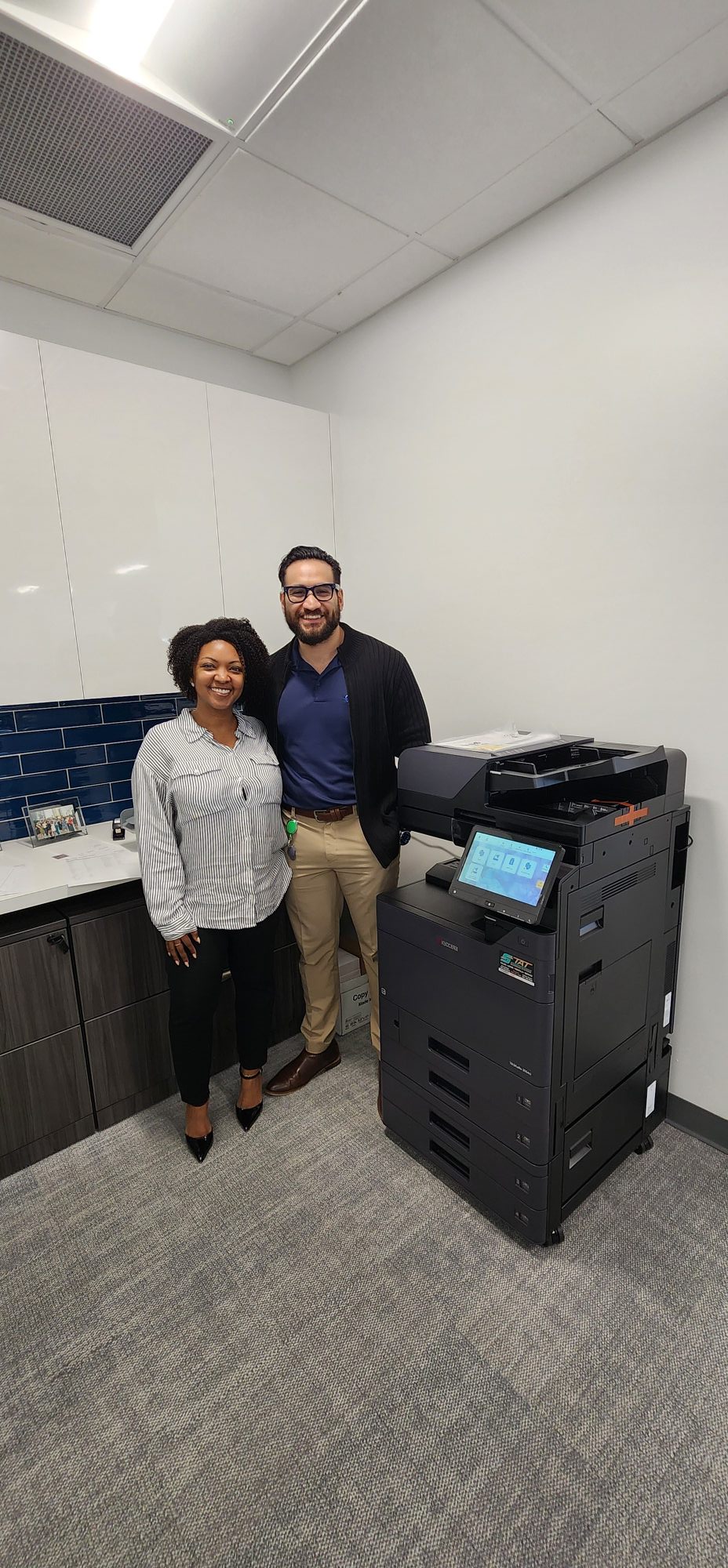
A copier upgrade should not feel like a disruption. For one large Broward County commercial realty management company, the goal was simple: replace aging equipment with a new Kyocera multifunction copier without slowing down the office for even a day. That meant preserving the existing address book, keeping automated toner monitoring active, and making sure employees could walk up and use the new machine exactly the way they used the old one. The result was a smooth transition, no downtime, and a better-performing office copier setup built for a busy commercial real estate environment.
For offices that manage tenants, vendors, invoices, notices, lease paperwork, and daily internal communication, copier downtime creates a bigger problem than most people expect. Property management teams move fast. Documents need to print, scan, and route correctly without someone standing around trying to fix settings or rebuild contacts from scratch.
That is what made this upgrade such a good example of how office technology should be handled.
This Broward County client has trusted STAT Business Systems with their copier needs for the past four years. This week, we upgraded their office to a brand new Kyocera multifunction copier designed for higher performance and long-term reliability. The best part was not just the new machine itself. It was the fact that the transition happened without creating extra work for the people in the office.
Their saved address book was transferred. Their automated toner monitoring and delivery system stayed active. The team did not have to stop what they were doing and “figure out” a new process in the middle of the workday. From their perspective, it was simply business as usual, only better.
That is exactly how an upgrade should feel.
Why Copier Upgrades Often Go Wrong in Busy Offices
Many businesses are not afraid of new equipment. They are afraid of the changeover.
That concern is valid. A copier replacement can create problems if the setup is rushed or treated like a basic swap. Contacts get lost. Scan destinations break. Toner fulfillment gets interrupted. Employees lose time learning workarounds that were never supposed to be part of the project.
In a property management office, that kind of disruption is more than frustrating. It can affect communication with tenants, vendors, and building stakeholders.
A proper transition means looking beyond the hardware. It means making sure the workflow surrounding the copier survives the upgrade intact.
That is one reason companies evaluating new equipment often spend time comparing full copier sales options for business offices instead of focusing only on print speed or monthly output.
The Real Value of a New Kyocera Multifunction Copier
Most people expect a new copier to be faster. That is the easy part.
What matters more in a live office environment is whether it fits the way the business already works. Kyocera multifunction copiers are a strong fit for busy commercial offices because they combine dependable daily performance with features that support scanning, routing, user access, and long-term efficiency.
Kyocera also emphasizes durability and long-life components at the manufacturer level, which is one reason these systems are frequently chosen for high-use office settings. Their broader product and workflow philosophy can be explored on the official Kyocera Document Solutions website.
For businesses comparing systems locally, it also helps to review available Kyocera copier and printer solutions from STAT Business Systems to see how those features translate into real office environments.
Why Property Management Offices Need Reliability More Than Flashy Features
Commercial real estate and property management offices do not need copier features for the sake of features. They need consistency.
A typical day may involve printing management reports, scanning signed documents, sending notices, processing invoices, and sharing records with multiple internal users. When one part of that workflow breaks, the office starts improvising. People resend scans. Someone prints from a different machine. Another person says they will “do it later.”
That is how little delays become part of the office culture.
A reliable copier upgrade removes that friction. It keeps common workflows intact and improves the speed and consistency behind the scenes.
That is especially important for businesses operating across Broward County, where many growing offices rely on local support and faster response times. Companies looking for a broader view of our local service footprint can also explore our Broward County copier and printer solutions.
What Made This Upgrade Different
The best thing about this installation is that it did not turn into an event.
No downtime.
No headaches.
No interruption to toner fulfillment.
No rebuilding the office address book from scratch.
That kind of transition only happens when the upgrade is planned around the client’s real workflow, not just the delivery date.
For this commercial realty management company, the copier did not just get replaced. Their office stayed productive throughout the process.
That is what long-term partnership looks like in practice.
The Best Office Technology Upgrades Are the Ones People Barely Notice
When a copier replacement is done correctly, employees should not have to think about it very much. They should walk up, print, scan, and move on with their day.
That is often the real difference between a standard equipment vendor and a local partner who understands how offices actually function.
At STAT Business Systems, that is the goal. We do not just install equipment. We help businesses upgrade in a way that protects their workflow, saves time, and reduces friction from day one.
If your office is considering a copier replacement and wants the transition handled the right way, a free copier and printer quote is the easiest place to start.
Another office upgraded the right way.
Another STATisfied customer.
Frequently Asked Questions About Copier Upgrades for Property Management Offices
How do you replace a copier without disrupting the office?
A smooth copier upgrade starts with planning. That includes transferring address books, preserving scan workflows, confirming network settings, and making sure toner monitoring or service systems continue without interruption.
Why is copier reliability important for commercial property management?
Property management offices handle a steady flow of notices, leases, invoices, vendor paperwork, and internal documents. Reliable printing and scanning help keep those daily processes moving without delays.
Can a new copier keep the old office address book?
Yes. In many cases, the address book and common scan destinations can be transferred to the new system so employees do not have to rebuild everything manually.
Do automated toner programs continue after an upgrade?
They can, as long as the upgrade is configured correctly. That is one of the details that should be addressed before installation, not after.
What type of copier is best for a busy real estate or property management office?
It depends on print volume, scan needs, paper handling, and how many users share the machine. A multifunction Kyocera copier is often a strong fit because it combines reliability, workflow features, and long-term value.