

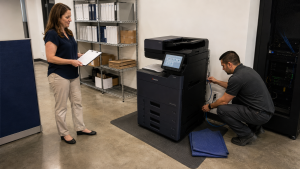
An office can keep the same copier and still need a document-workflow review when its IT provider changes. Printing queues, scan destinations, credentials and monitoring connections may depend on settings the incoming provider has not yet documented. A clear technical handoff helps prevent familiar equipment from becoming an unexpected source of disruption.
At STAT Business Systems, we support the equipment side of that transition for South Florida offices. The goal is to identify the copier’s dependencies before network, account or application changes are made.
Give the incoming IT provider a sanitized workflow example, not just a list of settings. A sample file and its intended destination show what the business considers a successful result. That helps both support teams investigate a problem without needing to exchange client documents during the transition.
Inventory the connections people actually use
Ask staff to list the print and scan functions used in a normal week. Include desktop printing, scan-to-folder or email workflows, any release process and applications that send jobs directly to the device.
IT should record the current network addressing method, queue deployment and authorized scan destinations. Note which accounts or services support those destinations without putting passwords into a general office document.
Keep the equipment’s model, serial number and location with the inventory. If the office has multiple devices, map each workflow to the correct machine rather than referring to all of them as “the copier.”
Identify who owns each setting
Some settings belong to the equipment provider, while others depend on the office’s network, email service, storage system or applications. The incoming IT team should know who can help with each part.
Create a short responsibility list for network access, print drivers, scan permissions, device administration, monitoring and supply notifications. Identify an authorized contact for each area.
Our copier service team can help clarify the equipment functions and the support arrangement we provide. Application and infrastructure work should be assigned explicitly rather than assumed to fall into one general service request.
Preserve a working baseline before the transition
Use sanitized documents to test the current workflows before changes begin. Print an ordinary file from a regular workstation, scan to the intended destination and inspect the result.
Record the successful steps and any existing problems. This gives the incoming team a baseline and avoids blaming the transition for an issue that was already present.
If settings need to be backed up, ask the authorized administrator to use the supported method for the exact model. Do not assume one device’s configuration file can be restored to a different model or firmware version without review.
Recheck authentication when accounts change
A scan destination may rely on an account that the outgoing provider created or managed. Changing that account, its permissions or an authentication policy can interrupt the workflow even when the machine remains online.
Have IT confirm the supported method and the authorized replacement account before removing old access. Use the organization’s approved credential-handling process and avoid embedding secrets in a shared checklist.
If the desired workflow is no longer appropriate, discuss a supported alternative. Recreating an undocumented legacy connection is not always the best long-term outcome.
Test from the employees’ computers
A successful test from an administrator’s laptop does not establish that ordinary users can print and scan. Check the workstations, permissions and application paths staff actually use.
Include a common print job, duplex output where required and a representative scan. If staff use a held-print or authentication workflow, verify that the authorized user can release the correct job and collect it.
Schedule these checks around the office’s operating needs. Define who reports a failure and which team investigates it first, so the office does not circulate the same issue between providers without ownership.
Review equipment opportunities after the handoff is stable
The transition may reveal that a scan function, driver deployment or device role needs improvement. Record those opportunities separately from the immediate continuity work.
Our managed print services can support a broader discussion about device roles and recurring support needs. If replacement is appropriate, the Kyocera product catalog gives the office a way to compare current equipment after its requirements are clear.
For businesses in Miami-Dade County, include site contacts and installation requirements when discussing any equipment change with our Sunrise team.
Request copier workflow assistance with your model, planned IT transition date and the functions staff depend on. We can help coordinate the equipment questions before a provider change interrupts an otherwise familiar office routine.