

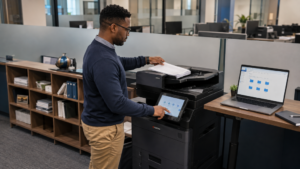
To scan letter and legal pages into one usable file, confirm that the exact feeder and scanning workflow support the intended combination, then test a representative packet. Check page order, page boundaries, orientation and readability in the resulting file. A successful feed is only the beginning of a successful scan.
Mixed-size documents are common in offices that receive forms, correspondence and attachments from different sources. At STAT Business Systems, we help South Florida businesses evaluate office equipment around those real documents. A sample packet is often more informative than a general request for a “fast scanner.”
Define what the finished file must preserve
Ask the person who uses the scanned document what matters most. Do pages need to retain their original dimensions? Must the file be searchable? Does it go to an approved folder or another established document workflow? These requirements should be explicit before anyone chooses settings.
Keep the physical originals in order while planning the test. If a packet includes two-sided sheets or intentionally blank pages, identify them. The expected result should describe what remains in the file rather than assuming the operator can infer the business purpose.
Use a non-sensitive sample for demonstrations. It should resemble the real packet closely enough to test the workflow without exposing customer or employee information unnecessarily.
Confirm the feeder configuration
Ask whether the installed document feeder supports the specific combination of sizes and original types you intend to load. A capability associated with a product range may depend on the selected feeder or other configuration details. Request guidance for the exact equipment being supplied.
Follow the manufacturer’s instructions for supported originals, preparation and loading. Do not assume that a mixed-size setting permits every paper condition or arrangement. Fragile, damaged or otherwise unsuitable originals may require a different approved process.
Have the supplier demonstrate how the machine recognizes the intended sizes and what the operator should check before starting. Record the relevant workflow in terms your staff can follow, while leaving technical configuration to authorized support.
Build a packet that reveals mistakes
A useful test includes a letter page, a legal page and a two-sided example if duplex originals are part of the work. Number the sample pages and place a small test mark near each relevant boundary. Include realistic text rather than testing only with blank paper.
After scanning, inspect every page in the file. Confirm the page count, reading order and orientation. Look for cut-off information at the bottom of the longer page and for content that has become difficult to read after an unintended size change.
If the result is wrong, correct the workflow and repeat the sample before scanning a live batch. Saving an unsuitable setting as a shortcut can turn one error into a recurring office problem.
Check file usefulness beyond the preview
Open the file in the application the receiving team actually uses. Confirm that users can navigate it and read the important details at a practical viewing size. A small touchscreen preview cannot establish how the complete file behaves in the office’s document process.
If searchable text is required, test search with a known word and verify the result. Searchable PDF capabilities can depend on software or optional features. Kyocera’s TASKalfa MZ3200i specifications, for example, distinguish optional searchable PDF functionality from the basic file formats.
Do not treat text recognition as a guarantee that every character is correct. The person responsible for the document should define the review needed for the intended use, particularly where a faint original or unusual layout is involved.
Agree on the destination and naming process
Confirm the approved destination with your IT provider and workflow owner. Identify who should be able to access the result and how the file will be named. A readable packet is still hard to use when staff cannot find it or distinguish it from another version.
Test delivery as part of the demonstration. The scan should reach the intended location and be available to an authorized user through the ordinary process. Do not substitute a personal account simply to make the sample appear to work.
Keep the final approved sample and a short checklist with the office’s training materials. That gives new staff a clear example of an acceptable result.
Choose around the packet, not just the scan speed
When reviewing office printers and multifunction equipment with STAT, bring a representative mixed-size packet and describe the destination. We can discuss the feeder, file features and workflow questions for your Broward, Palm Beach or Miami-Dade office. The right test checks the complete path from paper originals to a file the team can use.