

When South Florida business owners start searching for “copier leasing near me” or “copier repair near me,” they are usually at a critical juncture. Either their current office equipment has suffered a catastrophic breakdown, or their business has grown to the point where small, retail desktop printers can no longer handle the daily volume.
At STAT Business Systems, we have spent 40 years helping businesses in Broward, Miami-Dade, and Palm Beach counties navigate these exact challenges. Because we are a local, hands-on technology partner based right here in Sunrise, we get asked a lot of the same fundamental questions by office managers and IT directors.
To help you make the best decision for your document workflow in 2026, we have compiled the most frequently asked questions into this comprehensive guide.
1. Should I Lease or Buy a Copier for My Florida Small Business?
This is easily the most common question we receive. While outright purchasing might seem appealing to a business that wants to “own” all its assets, comparing the true cost of leasing vs. buying almost always points toward leasing for growing firms.
The Case for Buying: Outright purchasing makes sense if you have a massive influx of capital, you plan to keep the machine for 7 to 10 years, and you have a dedicated, internal IT staff capable of handling complex mechanical repairs once the manufacturer warranty expires.
The Case for Leasing: For 95% of the small-to-medium businesses we serve, copier leasing is the superior financial strategy.
- Capital Preservation: Instead of dropping $8,000 to $15,000 upfront on a high-end multifunction printer (MFP), you pay a predictable, low monthly fee, freeing up cash flow for marketing or payroll.
- Technology Refresh: In 2026, cybersecurity standards like FIPS 140-3 encryption are mandatory for protecting client data. A 36-to-60-month lease ensures you can easily upgrade to modern, secure hardware at the end of your term without being stuck with obsolete, vulnerable machines.
- Tax Benefits: In many cases, lease payments can be fully deducted as standard operating expenses.
2. What Are the Best Multifunctional Copiers for High-Volume Law Firms?
Law firms in Fort Lauderdale and Miami are notoriously high-volume environments. Between printing massive discovery packets, scanning sensitive court filings, and producing client contracts, a law firm’s copier is the beating heart of its administrative workflow.
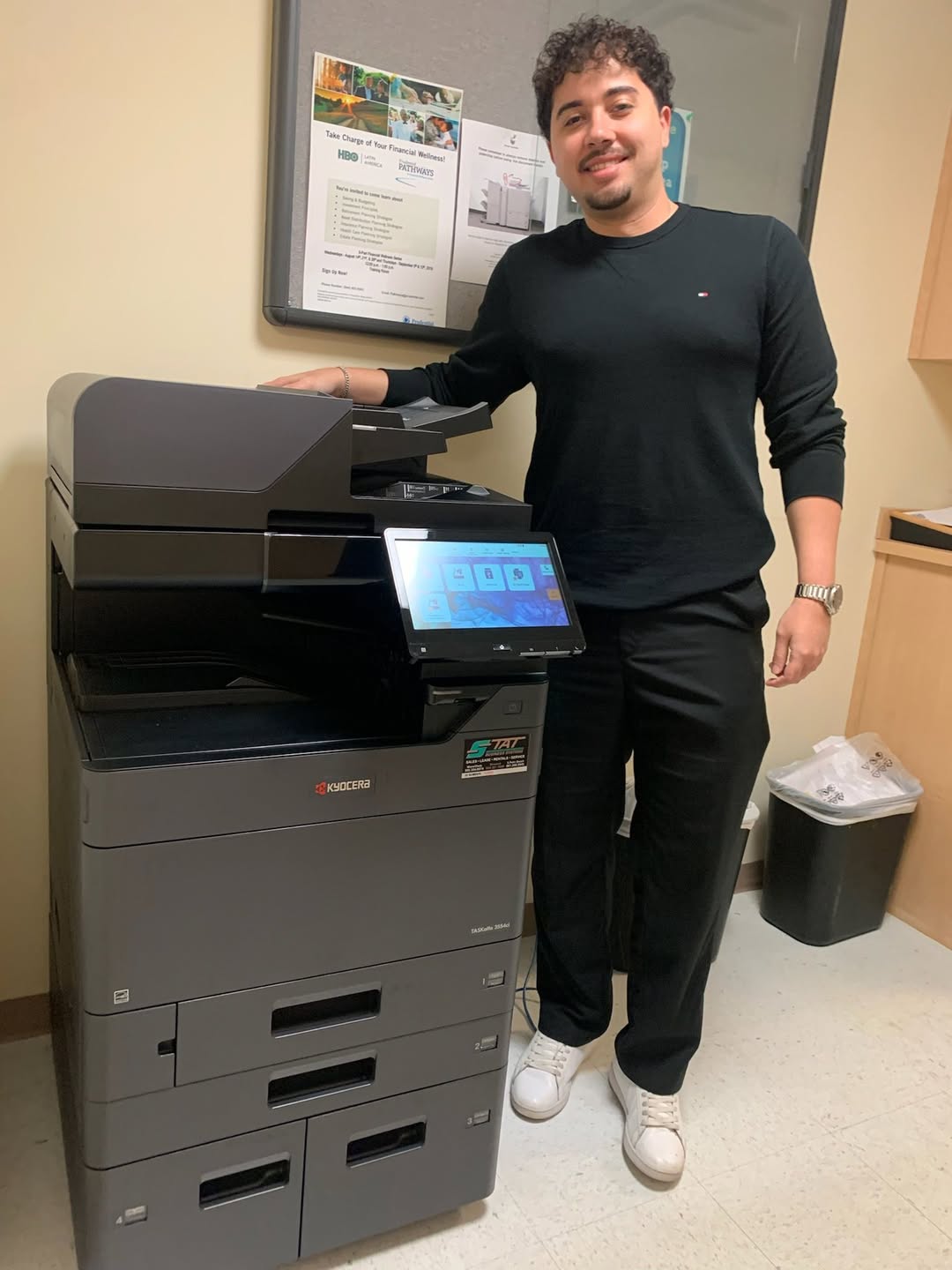
For these intense environments, you cannot rely on retail-grade equipment. We heavily recommend the Kyocera TASKalfa MZ Series.
- Speed and Reliability: Law firms need speed. Kyocera’s long-life ceramic drum technology ensures these machines can churn out tens of thousands of pages a month without constantly requiring service for worn-out rollers or fusers.
- Advanced Document Feeder (ADF): The 2026 MZ Series features dual-scan document feeders that can process up to 274 images per minute. This means a paralegal can scan a massive, double-sided legal brief to their secure cloud server in seconds.
- Legal-Sized Output: These machines effortlessly handle 11×17 ledger and 8.5×14 legal paper, which is mandatory for specific court filings.
3. STAT Business Systems vs. National Copier Chains: Which is Better for Local Service?
When searching for local copier support, you will often encounter massive, out-of-state national chains that have purchased smaller local dealers. While they might boast national coverage, the local experience often suffers.
The National Chain Experience: When a machine breaks down, you call a generic 1-800 number. You are routed to an out-of-state call center, where a representative reads off a script. A technician might not be dispatched for 48 hours, and when they do arrive, they often have to order parts from a national warehouse, extending your downtime for days.
The STAT Business Systems Difference: We are not a national conglomerate; we are your neighbors. For 40 years, our headquarters has been rooted in Sunrise, FL. When you call us for printer and copier repair, you speak to a local dispatcher. Because we focus exclusively on the tri-county area, our technicians can deploy rapidly. More importantly, we stock our parts locally, meaning our first-time fix rate is exceptionally high. You get the robust technology of a national brand with the accountability of a local partner whose President is actively involved in daily operations.
4. What Are the Most Reliable Office Printer Brands for 2026?
In 2026, the clear leader in reliability for the small-to-medium business sector is Kyocera.
While brands like HP and Brother dominate the home-office retail market, Kyocera engineers its commercial multifunction systems specifically to reduce the Total Cost of Ownership (TCO). By utilizing patented long-life amorphous silicon drums and high-yield toner technologies, Kyocera machines require far less physical maintenance and generate significantly less waste than competing brands. This unparalleled reliability is exactly why we exclusively feature Kyocera as our premier office equipment partner.
5. How to Choose the Right Multifunction Printer for a Growing Office in Broward
Selecting the right machine isn’t about buying the biggest, fastest copier on the market; it’s about finding the exact right fit for your workflow. Here are the steps we take when evaluating an office in Broward County:
- Audit Your Volume: How many pages do you print a month? If you only print 2,000 pages, you don’t need a machine built for 20,000.
- Evaluate Your Color Needs: Do you strictly print internal invoices, or do you produce client-facing marketing materials? Modern Managed Print Services offer 3-Tier Color billing, making color printing highly affordable, but a dedicated black-and-white machine is still the cheapest long-term option for text-heavy offices.
- Assess Your Cloud Integration: Does your staff need to scan documents directly to SharePoint, Google Drive, or a specific electronic medical records (EMR) system?
- Consider Physical Space: Some machines require a dedicated corner, while smaller, robust A4 units can comfortably sit on a credenza.
Don’t navigate these questions alone. Stop searching for generic advice online and partner with a local expert. Contact STAT Business Systems today for a free, no-obligation workflow analysis and let us build the perfect document solution for your South Florida business.