

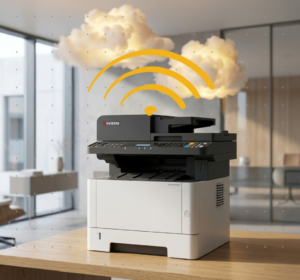
A wireless office printer can give employees more placement flexibility and convenient access from laptops and mobile devices. However, the Wi-Fi symbol on the box does not tell you whether a printer will be fast enough, secure enough, or economical enough for daily business use.
For most South Florida offices, the best answer is not strictly wireless or wired. It is a commercial printer that supports both, configured around the people, network, documents, and service expectations of the business.
Wireless, Wired, or Both?
Connection type should follow the workflow. A small executive office, a busy reception desk, and a multi-department accounting firm may all need different setups even when they print similar documents.
Flexible Placement and Mobile Teams
A strong fit when running a network cable is inconvenient, the device may move, or employees regularly use laptops and supported mobile-printing workflows.
Fixed Workgroups and Critical Output
A wired network connection is often preferable for a heavily shared device where stable access, predictable addressing, and consistent performance are priorities.
One Printer, More Setup Options
A printer with wireless, Wi-Fi Direct, Ethernet, and USB options gives your provider more ways to fit the device into the current network and adapt later.
What Makes a Wireless Printer Business-Ready?
A Wi-Fi symbol alone does not make a printer suitable for a professional office. Business equipment should be selected around dependable document production, practical network options, security, paper handling, supplies, and support after installation.
STAT helps businesses compare currently available Kyocera ECOSYS printers and multifunction devices without assuming that one model fits every workplace. Features vary by device, so the recommendation should begin with your workflow rather than a product name.
Where a Compact Wireless MFP May Fit
- Small offices that mainly produce letter- and legal-size documents
- Reception, administrative, billing, or operations workgroups
- Businesses that need fast monochrome output plus scanning and copying
- Teams that want a compact footprint without dropping business functions
- Organizations that need wireless flexibility and commercial support
When to Compare a Larger MFP
If your office needs 11 × 17-inch output, advanced finishing, very high paper capacity, or heavier shared volume, a larger TASKalfa system may be more suitable. Our office printer comparison and copier leasing options can help narrow the correct equipment category before you focus on a model.
Match the Connection to the Workday
The right configuration depends on where the printer sits, who uses it, and what happens when the connection fails.
| Office Situation | Practical Starting Point | Why It Matters |
|---|---|---|
| Small professional office | Wireless or hybrid setup | Supports flexible placement and shared access without overbuilding the office around the printer. |
| Busy legal or accounting team | Ethernet for the main device | Helps provide a stable connection when deadlines, reports, contracts, and month-end work create overlapping demand. |
| Medical reception or back office | Managed network connection | Security settings, user access, scanning destinations, and dependable availability deserve more attention than convenience alone. |
| Warehouse or temporary workspace | Wireless with signal review | Placement can be easier where cable access is limited, but walls, shelving, equipment, and distance from the access point may affect reliability. |
| Multiple printers or locations | Standardized, managed configuration | A consistent plan for devices, drivers, supplies, usage, and service is often more valuable than selecting each printer independently. |
What the Wi-Fi Icon Does Not Solve
Wireless capability creates options. It does not automatically create a reliable business printing environment.
The Printer Still Has to Fit the Business
- Monthly volume and peak demand
- Black-and-white versus color output
- Letter, legal, or larger paper sizes
- Scanning, copying, faxing, and document routing
- Toner yield, paper capacity, and available office space
The Network Still Has to Be Planned
- Wi-Fi coverage at the printer’s actual location
- Compatible drivers and employee devices
- Security settings and controlled access
- Stable addressing and print-queue configuration
- A support plan when printing or scanning stops
If an existing device disconnects repeatedly, our guide to why an office printer keeps going offline explains why the printer itself may not be the underlying problem.
Local Setup Matters More Than the Box
An online product listing can confirm whether a printer has Wi-Fi. It cannot review your signal, place the device, configure drivers, plan scan destinations, explain supplies, or provide a local service path after installation.


How We Plan a Better Printer Setup
Before recommending a wireless office printer, STAT looks beyond the connection method.
Serving South Florida since 1986: From our Sunrise location, STAT supports offices across Broward County, Miami-Dade County, and Palm Beach County. Businesses with several printers or inconsistent supply and service processes can also explore our managed print services.
Wireless Office Printer Questions
Is a wireless printer reliable enough for a business?
Yes, when the printer is commercial-grade and the wireless network is stable, secure, and properly configured. A wired Ethernet connection may still be preferable for a heavily shared or mission-critical device.
Can employees print without joining the office Wi-Fi?
Some commercial printers support Wi-Fi Direct, which can allow a compatible device to connect directly to the printer. Access and security should still be configured around company policy.
Should a small business choose color or black-and-white?
Choose color when employees regularly produce customer materials, charts, presentations, or documents where visual distinction matters. Black-and-white equipment may be more practical for forms, invoices, contracts, and internal records.
Can STAT lease and set up wireless office printers?
Yes. STAT helps South Florida businesses compare printer leasing, purchase, installation, supplies, maintenance, and service options for Kyocera office equipment.
Choose the Printer Before Choosing the Connection
Tell us how many people print, what documents they use, where the device will sit, and what is not working with your current setup. We will help compare a wireless printer, wired workgroup device, compact MFP, or larger copier without pushing unnecessary equipment.