

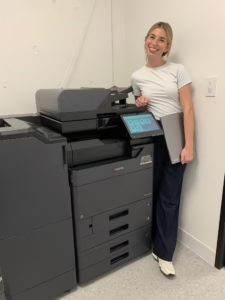
A law office copier should do more than produce clean pages. It should help staff turn incoming records, signed documents, exhibits, and correspondence into organized digital files without adding unnecessary steps. The best choice is the system that fits the entire document path—not simply the machine with the longest feature list.
For firms in Broward, Miami-Dade, and Palm Beach, that means evaluating scanning, routing, access controls, paper handling, and local service together before signing a copier lease.
Evaluate the complete scanning route
Scanning speed matters, but it is only one part of a useful legal document workflow. Walk through these four stages with the people who prepare, review, and retrieve case files every day.
Intake
Identify the originals staff receive: single- and double-sided pages, mixed sizes, receipts, correspondence, signed forms, and larger case-file batches.
Capture
Compare document-feeder reliability, two-sided scanning, image quality, file formats, and whether searchable PDF or OCR is available in the proposed configuration.
Route
Confirm where files must go—approved email accounts, network folders, cloud storage, or another document system—and how users select the correct destination.
Retrieve
Decide how files will be named, indexed, quality-checked, and found later. A fast scan that lands in the wrong folder still creates rework.
Turn daily work into useful specifications
Ask a dealer to demonstrate your real workflow with representative documents. Features and integrations vary by model, accessory, software, network environment, and configuration.
STAT Business Systems can compare current Kyocera copier and printer options against the way your legal team actually works.
What does a normal scan batch look like?
A receptionist scanning ten signed pages has different needs from a litigation team processing boxes of records. Share average and peak volumes instead of relying on a monthly print total alone.
Are the originals consistent?
Mixed sizes, folded corners, thin sheets, annotations, and previously stapled packets can affect feeding. Test representative originals and establish when flatbed scanning is the safer choice.
Which digital destination is approved?
Scan-to-email may be convenient for small files, while network folders or approved cloud workflows may suit larger batches. Involve the firm’s IT provider before promising an integration.
How will users avoid filing errors?
Consider saved destinations, clear address books, consistent file names, role-based shortcuts, and a simple review step. The goal is fewer choices at the panel and fewer misplaced documents.
Which controls match firm policy?
Ask about user authentication, secure print release, address-book permissions, administrative access, firmware practices, and data handling at lease return. Copier settings should support—not replace—the firm’s legal, security, and IT policies.
What happens when the workflow stops?
Clarify service coverage, response procedures, supplies, training, and who helps when scanning fails even though printing still works. Local support is especially valuable during filing, closing, or discovery deadlines.

Equipment fit and follow-through both matter
A good recommendation accounts for the firm’s documents, users, deadlines, floor plan, network, and expected growth. It also plans for installation, user setup, training, maintenance, and repair after the lease begins.
STAT has served South Florida businesses since 1986 from Sunrise and has supported legal offices with repeat Kyocera copier leases. Read the Broward County law office customer story, or explore the related guide to legal discovery scanning for workflow-specific ideas such as searchable files.
Bring this information to a copier consultation
A short workflow brief helps a dealer narrow the equipment and configuration before the demonstration. It can also reduce the risk of paying for capacity the firm will not use—or missing an accessory the team needs.
- Estimated monthly black-and-white and color volume
- Typical and peak scan-batch sizes
- Paper sizes, document conditions, and finishing needs
- Required scan destinations and current software environment
- Number of users, departments, and office locations
- Security requirements defined by the firm and its IT provider
- Current bottlenecks, service history, and recurring errors
- Desired lease timing, budget range, and growth plans
Law office copier questions
Should a law firm lease or buy a copier?
Leasing may suit firms that want predictable payments, current equipment, and coordinated service with less upfront expense. Buying may fit a stable, long-term requirement. Compare total cost, service terms, upgrade timing, and end-of-term obligations.
Can every copier create searchable PDFs?
No. Searchable PDF and OCR availability can depend on the model, software, licensing, and setup. Ask for the exact proposed configuration and test the output with representative legal documents.
Does a secure copier make a law firm compliant?
No single device creates compliance. Copier controls are one layer within broader policies for access, networks, records, staff behavior, retention, and disposal. The firm and its qualified advisers should define the requirements.
Compare law office copier options with a local team
Tell STAT Business Systems how your firm receives, scans, routes, prints, and retrieves documents. We will help you compare practical copier leasing options, installation, training, supplies, and ongoing service for your South Florida office.