

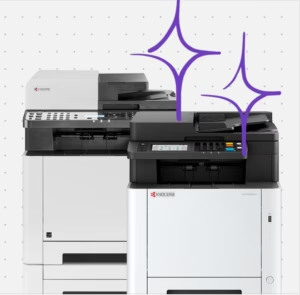
Comparing Kyocera, Canon, HP and Xerox for a South Florida office? Start with the specific models, your monthly print volume and the service agreement. A brand name alone does not tell you which copier will cost less or fit your workflow.
STAT supplies Kyocera copiers and printers. This guide explains the ECOSYS approach and the questions to ask when comparing it with another manufacturer’s equipment.
What makes Kyocera ECOSYS different?
Kyocera describes ECOSYS as a design approach built around long-life components and reduced replacement-part consumption. Its ECOSYS environmental overview explains the development of durable drums and other components across different generations of products.
That is a reason to include ECOSYS in your shortlist, not a guarantee that every Kyocera model has the same drum material, replacement interval or running cost. Check the exact model’s specifications, maintenance schedule and warranty. Component life and toner yield are different measures; neither should be treated as a promise of uninterrupted service.
Do Canon, HP and Xerox always combine toner and drums?
No. Consumable designs vary by model. For example, the Canon imageRUNNER ADVANCE DX C3800-series manual lists toner and drum units separately. It would be misleading to describe every competing copier as requiring a new drum whenever toner runs out.
Ask each supplier which parts are separate, when they need replacement and who pays for them. Compare the actual proposed devices rather than assigning one lifespan or cartridge design to an entire brand.
A practical copier comparison checklist
| Compare | What to request for each proposed model |
|---|---|
| Workload | Recommended monthly volume, print speed, color needs and paper sizes. |
| Consumables | Toner yields, separate drum or maintenance units, replacement intervals and exclusions. |
| Scanning and finishing | Duplex scanning, document destinations, trays, stapling and any paid options. |
| Service | Coverage area, support hours, response terms, parts, labor and supply coverage in writing. |
| Cost | Equipment payment, included pages, black-and-white and color rates, overages and fees. |
| Contract | Term, annual increases, early termination, renewal and end-of-term return or purchase terms. |
Compare total cost, not just the monthly payment
For an office copier lease, compare equipment payments over the same term and add service charges, expected page charges, delivery or setup fees and any contract-end costs. Avoid counting a bundled charge twice. Ask for both a typical-volume scenario and a higher-volume scenario.
A cost-per-page arrangement and a flat monthly service plan can allocate costs differently. Confirm any page allowance, minimum charge, overage rate and exclusions. “Flat rate” does not by itself mean unlimited printing, and a low advertised page rate may not include the equipment payment.
Reliability, print quality and ease of use also matter. Request a demonstration with your own document types and review service terms for your location. Awards or specifications for one product family should not be assumed to apply to every device.
Compare options for your South Florida office
If your office is in Miami-Dade or Fort Lauderdale, gather your recent meter readings, color usage, required paper sizes and current contract end date before requesting proposals.
Request a STAT equipment quote with those requirements so you can compare a Kyocera option against other proposals on the same basis. Savings depend on the equipment, usage and terms; they should be calculated from your quotes rather than assumed from the brand.