

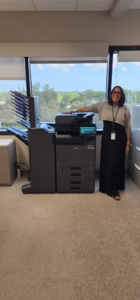
Your office should not be locked out of reliable service simply because its copier was purchased online, inherited with a new location, or supplied by another dealer.
Businesses regularly contact us after their original provider stops responding, a national support contract becomes frustrating, or an existing machine begins causing downtime. In many cases, STAT Business Systems can inspect, troubleshoot, repair, and maintain that equipment—even when we did not sell or install it.
We Can Often Service Equipment Bought Elsewhere
STAT provides copier and printer repair in South Florida for major commercial brands. Whether service is practical depends on the machine’s make, model, age, condition, parts availability, and any existing service contract.
You do not need to know the cause of the problem before calling. A model number, description of the symptoms, and any error code shown on the display are usually enough to start the conversation.
Why Another Dealer’s Machine May Still Be Serviceable
Commercial copiers and multifunction printers are designed to be maintained throughout their working life. A qualified technician can evaluate the machine independently of where it was purchased. The original sales relationship matters less than the condition of the equipment and whether the correct parts, supplies, documentation, and technical support remain available.
Diagnose the Immediate Problem
We can evaluate recurring paper jams, error codes, poor print quality, scanner failures, network printing issues, unusual noises, and other operational problems.
Review the Machine’s Condition
A service visit can reveal whether the problem is isolated or part of a larger pattern involving worn components, unsuitable volume, or aging technology.
Recommend the Practical Next Step
The right answer may be a repair, ongoing maintenance, network support, or replacement. Our goal is to explain the options instead of automatically pushing a new copier.
Common Problems We Are Asked to Evaluate
A machine does not need to be completely down before it deserves attention. Small problems often become expensive workflow issues when employees begin creating daily workarounds.
- Frequent paper jams or misfeeds
- Lines, streaks, fading, or uneven output
- Copier or printer repeatedly showing offline
- Scan-to-email or scan-to-folder failures
- Error codes that return after restarting
- Slow printing, processing, or scanning
- Toner, drum, fuser, or supply-related issues
- Drivers and network connections that no longer work
Repair, Maintenance Plan, or Replacement?
The first repair may solve the immediate problem, but it should also provide useful information about the future of the machine. STAT can help your business compare three different paths without treating every service call as a sales opportunity.
| Option | Best Fit | What It Solves |
|---|---|---|
| One-Time Repair | A dependable machine with an isolated problem | Restores operation without changing equipment or adding a long-term program |
| Maintenance Support | Equipment worth keeping that needs predictable local service | Helps manage repairs, parts, supplies, and ongoing support based on the plan selected |
| Replacement or Lease | An aging, undersized, unreliable, or unsupported machine | Replaces recurring downtime with equipment matched to current print, scan, security, and workflow needs |
When keeping the current machine makes sense, our copier maintenance options can help create more predictable support. When the machine no longer fits the office, we can also compare practical copier leasing options without forcing your company into equipment it does not need.
What to Have Ready When Requesting Service
A few details help us determine whether the equipment can be supported and what type of response may be needed. Before contacting STAT, take a photo of the model label and the error screen when possible.
Local Service Matters After the Original Sale
The purchase price is only one part of owning office equipment. The real test comes later—when employees cannot print, scanning stops working, toner is unavailable, or a critical machine begins failing during a deadline.
STAT Business Systems is based in Sunrise and supports businesses throughout Broward, Miami-Dade, and Palm Beach counties. We work with commercial copiers, multifunction printers, office printers, and document systems, with specialized experience in Kyocera and Copystar equipment as well as wide-format solutions.
For offices with multiple machines or mixed brands, managed print services may also provide a better way to organize supply replenishment, service, usage, and ongoing print costs across the fleet.
Need Service for a Copier Bought Somewhere Else?
Tell us the make, model, location, and problem. We will help determine whether repair, maintenance, or replacement is the most practical next step for your South Florida office.
Frequently Asked Questions
Can STAT repair a copier purchased from another dealer?
In many cases, yes. Service availability depends on the manufacturer, model, age, condition, parts availability, and whether the equipment is covered by another active agreement.
Do you service copier and printer brands other than Kyocera?
STAT evaluates and services major commercial copier and printer brands. Kyocera and Copystar are important areas of product expertise, but businesses can contact us about other manufacturers as well.
Can you repair a copier that is still under lease?
Possibly, but the lease or service agreement should be reviewed first. The contracted provider may control repairs, parts, or warranty coverage for that equipment.
What information should I provide when requesting copier service?
Provide the manufacturer, complete model number, error code, description of the problem, office location, and whether the machine has an active lease, warranty, or maintenance agreement.
What if repairing the copier no longer makes financial sense?
STAT can explain the repair findings and help compare maintenance, replacement, copier leasing, printer leasing, or another office equipment option based on your current workflow and budget.