

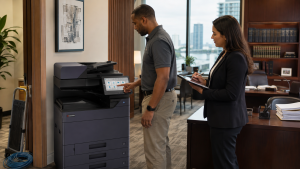
Modern multifunction copiers can process print jobs, scans, address books, user settings and network destinations. Storage and security capabilities vary widely by make, model and configuration. An office should never assume that unplugging the copier, clearing the visible job list or removing paper completes the data review.
The safest approach is a documented plan coordinated among operations, IT, the equipment provider and any internal privacy or compliance lead.
A Four-Stage Lease-Return Process
Read the Agreement
Confirm notice deadlines, return instructions, pickup responsibility, approved destination and any required documentation. Do not send a leased copier to a recycler or mover without authorization.
Inventory Workflows
List address books, scan destinations, stored jobs, user accounts, authentication settings and network connections. Determine what the replacement device must preserve.
Apply the Approved Procedure
Use model-appropriate administrative tools and the organization’s security policy. Options may include clearing settings, initializing storage or engaging a qualified provider. Procedures differ by device.
Control the Handoff
Record the serial number, date, destination and authorized carrier. Photograph the device condition if required and retain any confirmation provided.
What IT Should Verify
Do Not Promise More Than the Procedure Proves
“Factory reset,” “overwrite,” “sanitize” and “destroy” are not interchangeable terms. The available method depends on the copier and the organization’s risk requirements. A menu reset may remove user settings without addressing every form of stored data. Physical drive removal may create lease, warranty or chain-of-custody issues if it is not authorized.
Organizations in healthcare, legal, financial and other regulated fields should follow their own written security and records policies. A copier feature or dealer process does not by itself make an organization compliant with a law or industry framework.
Coordinate the Replacement at the Same Time
Decommissioning is easier when the new workflow is mapped first. Export or recreate approved address-book entries, scan destinations and user permissions without transferring outdated or unnecessary information. Reserve the new IP address, confirm email or cloud requirements, and test scanning with the appropriate IT administrator.
When comparing a replacement, review supported storage protections, encryption, overwrite capabilities, authentication, secure print and administrative controls by actual model and configuration. STAT can help businesses compare current Kyocera copier options, while the customer’s IT and security teams define policy requirements.
Keep a Simple Return Record
Retain the lease-return correspondence, device identifiers, approved data-handling record, pickup date and carrier or receiving-party information. The record should be detailed enough to show what was returned and which process was followed, without including passwords or sensitive configuration details.
If the copier is owned rather than leased, confirm the approved disposition route before sale, donation, trade-in or recycling. Copier trade-in and replacement planning should include data handling from the beginning.
Assign Responsibility Before the Final Week
Lease returns become risky when everyone assumes another department owns the process. Operations may manage the contract, IT may control administrative access, security may define the required data method and facilities may coordinate the loading area. Name one project owner and list each approval in writing.
The project owner should verify that the serial number on the pickup record matches the device that was prepared. If the office has several similar copiers, label them temporarily with internal asset identifiers that do not disclose sensitive information. Confirm who is permitted to sign the release and what should happen if the carrier arrives without matching documentation.
Retain Only the Evidence You Need
Good documentation proves that a defined process occurred without creating a new security problem. Keep dates, device identifiers, responsible parties and completion records. Do not attach passwords, full address books, network secrets or screenshots containing confidential user data to a general facilities ticket.
Plan the Return Before the Truck Arrives
STAT Business Systems helps South Florida organizations coordinate copier leasing, replacement and equipment support. We can identify equipment information and discuss available model-level procedures while working with your internal IT requirements.
Contact STAT before your copier lease ends so the equipment and workflow transition can be planned together.