

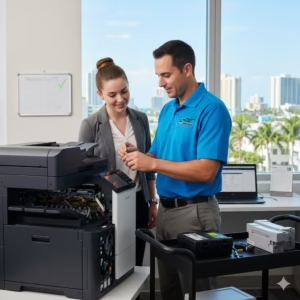
A copier repair bill is not determined by one universal hourly rate. The final cost depends on the failure, the equipment, the parts involved and the work required to return the machine to dependable service.
When a copier stops during payroll, closing documents or a client deadline, an office manager usually wants two answers: how quickly can it be fixed, and what will it cost? A useful estimate starts with an accurate diagnosis. Replacing a part based only on an error message can waste money because the same symptom may come from paper debris, worn feed components, a sensor, software or network configuration.
STAT Business Systems provides commercial copier service in South Florida for eligible equipment, including machines purchased from another dealer. Here are the factors our team considers before recommending a repair.
What Determines Copier Repair Cost?
Information That Helps the Service Team
Before You Call
Record the make and model, error code, affected function and when the problem began. Note whether it affects every user or only one computer. If print quality is the issue, keep a sample page. This information helps separate a device problem from a driver, network or application issue.
Avoid repeatedly clearing a jam from the same location or forcing trays and doors. Shut the machine down if you smell burning, see smoke, hear grinding or find loose internal pieces.
During Diagnosis
A trained technician may inspect paper paths, feed rollers, imaging components, counters, firmware, settings and recent error history. The goal is not simply to make one test page pass. A sound repair should address the cause and confirm that printing, copying and any affected scanning functions work normally.
Ask what failed, what is being replaced or adjusted, and whether the condition suggests additional near-term wear.
Repair Visit or Maintenance Plan?
Paying for an individual visit can make sense when the machine has been dependable, the failure is isolated and the office has no ongoing agreement. A copier maintenance plan may be more practical for businesses that want predictable support, recurring supplies and less administrative work. Plans differ, so compare the included labor, parts, toner, response process, usage allowance and exclusions—not only the monthly price.
For a mixed printer fleet, managed print services may provide broader visibility into device usage, supply status and recurring service patterns. That information can help an office stop treating every failure as an unrelated event.
When a Repair Estimate Should Trigger a Larger Review
A repair can be technically possible without being the strongest business decision. Review the machine’s age, total meter count, recent downtime, parts availability and ability to support current workflows. An older copier that repeatedly interrupts work, lacks required scanning features or no longer receives dependable parts support may be approaching the point where replacement deserves consideration.
That does not mean every large repair calls for a new copier. A well-matched commercial system with a known service history may still have useful life after a planned component replacement. The decision should consider the next several years of operation, not only today’s invoice.
How to Compare Repair Quotes
When comparing service options, make sure each quote addresses the same problem and scope. One estimate may cover only the immediate failed component, while another includes related rollers, calibration, travel or follow-up testing. Ask whether the part is new, remanufactured or model-appropriate; whether labor and return visits are included; and whether any repair warranty applies. A lower number is not necessarily a better value if it leaves the underlying cause unresolved.
Also consider response logistics. A provider with trained local technicians and commonly used parts may be able to restore service with fewer delays. For a South Florida office, the practical cost of waiting several days can exceed a modest difference in the repair price.
Get a Clear Copier Service Recommendation
STAT has supported South Florida businesses since 1986. Our team can diagnose eligible commercial copiers and printers, explain the service options and help determine whether repair, maintenance coverage or equipment replacement fits the situation.
Contact STAT Business Systems to request service in Broward, Miami-Dade or Palm Beach County.