

When a business searches for copier leasing near me, the goal is usually simple: find a reliable local company that can provide the right office copier, set it up properly, and support it when service is needed. The challenge is that not every copier lease is built the same. Two machines may look similar online, but the monthly cost, service response, toner coverage, paper handling, and long-term value can be very different.
At STAT Business Systems, we help Broward County and South Florida businesses choose office equipment that fits how they actually work. Since 1986, we have worked with local offices, schools, medical practices, law firms, accounting firms, contractors, nonprofits, and professional teams that need dependable printing, copying, scanning, and document workflow support.
Before signing a copier lease, here are the most important areas to compare.
Start With Your Real Monthly Volume
The first question is not which copier looks the best. It is how much your office actually prints and copies each month.
A small office that prints a few thousand pages per month does not need the same equipment as a busy department producing high-volume reports, invoices, packets, or client documents every day. Leasing a machine that is too small can lead to slow output, more service issues, and frustration. Leasing a machine that is too large can mean paying for features and capacity your team rarely uses.
When we help a business compare options, we look at:
- Estimated black-and-white volume
- Estimated color volume
- Peak usage periods
- Number of users
- Paper sizes used
- Scanning needs
- Department workflow
- Current equipment problems
This makes it easier to recommend a copier or multifunction printer that fits the office instead of pushing a machine that is oversized or underpowered.
Compare Color vs. Black-and-White Needs
Many businesses assume they need a color copier because some documents look better in color. Others try to avoid color entirely because they are worried about cost. The right answer depends on how your office uses printed materials.
A black-and-white copier may be ideal for offices that mainly print forms, invoices, applications, contracts, internal documents, or high-volume text pages. A color multifunction copier may be the better choice for businesses that regularly print proposals, presentations, marketing materials, charts, real estate documents, training packets, or customer-facing reports.
For many offices, the best leasing decision comes down to balancing image quality, operating cost, speed, and document type. STAT can help compare color multifunctional copiers and black-and-white office copier options so your team gets the right fit.
Look Closely at Scanning and Document Workflow
Modern copier leasing is not just about printing. For many South Florida businesses, scanning is just as important.
A good multifunction copier can help teams scan documents to email, folders, cloud storage, document management systems, or network destinations. This matters for offices that handle contracts, intake forms, invoices, records, applications, and other paperwork that needs to move quickly.
When comparing copier leases, ask whether the machine supports:
- Fast scanning speeds
- Duplex scanning
- Scan-to-email
- Scan-to-folder
- Secure user access
- Searchable PDF workflows
- Reliable document feeding
- Easy touchscreen operation
A lower-priced copier lease may not be a good value if the scanning workflow slows down your staff every day.
Service and Support Should Be Part of the Decision
The copier itself is only one part of the lease. Local service is what keeps your office running.
If your copier goes down, your team may not be able to print checks, contracts, proposals, shipping paperwork, intake packets, or other important documents. That is why choosing a local copier company matters. A national call center or out-of-area provider may not offer the same practical response as a local team that works with businesses throughout Broward County, Fort Lauderdale, Sunrise, Miami-Dade, and Palm Beach County.
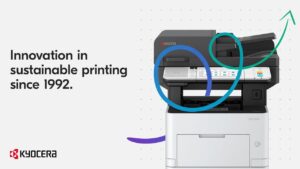
STAT Business Systems provides local copier leasing, setup, supplies, training, and service support for South Florida businesses. We are also an authorized Kyocera dealer, giving businesses access to dependable Kyocera office equipment backed by knowledgeable local support.
Businesses comparing copier leasing options should ask:
- Who services the equipment?
- Is service handled locally?
- Are toner and supplies included?
- How are service calls requested?
- What happens if the machine needs repeated repairs?
- Does the provider understand your office workflow?
A low monthly payment is not always the lowest-cost option if support is slow or unclear.
Understand the Lease Terms Before You Sign
Copier leasing can be a smart way to preserve cash flow and keep office equipment current, but the lease structure matters.
Before choosing a copier lease, review the term length, monthly payment, included service, estimated usage, overage rates, supply coverage, and end-of-lease options. Some businesses prefer a predictable lease with service included. Others may need a short-term rental, a purchase option, or a more flexible equipment plan.
STAT helps businesses compare practical options for copier leasing in South Florida so they can make a confident decision without overbuying.
Do Not Ignore Paper Handling
Paper handling is one of the most overlooked parts of choosing an office copier. It can also be one of the most frustrating if the wrong machine is selected.
A business that only prints letter-size documents may need a very different setup than one that uses legal-size paper, envelopes, labels, checks, letterhead, booklets, or multiple paper trays. If your office frequently changes paper types, having the right tray configuration can save time and reduce user errors.
Before leasing a copier, think about:
- Paper sizes
- Tray capacity
- Stapling or finishing needs
- Envelopes or specialty media
- Legal-size documents
- High-volume print runs
- Multi-department use
The right equipment setup should make daily printing easier, not more complicated.
Local Copier Leasing for Broward County Businesses
For many companies, the best copier leasing partner is not simply the one with the cheapest monthly price. It is the company that understands local business needs, recommends the right equipment, installs it properly, and supports it after delivery.
STAT Business Systems works with businesses throughout Broward County and South Florida, including Fort Lauderdale, Sunrise, Pompano Beach, Hollywood, Plantation, Coral Springs, Deerfield Beach, Boca Raton, Miami, and Palm Beach County.
Whether you need a single office copier, a color multifunction printer, a black-and-white production workhorse, managed print support, or help replacing outdated equipment, our team can help you compare your options clearly.
Ready to Compare Copier Leasing Options?
If your business is searching for copier leasing near me, STAT Business Systems can help you choose equipment that fits your volume, workflow, budget, and support needs.
We will help you compare copier leasing, printer leasing, service, supplies, and setup options so your office gets a dependable solution without unnecessary complexity.
Contact STAT Business Systems today to request a quote and find the right copier lease for your South Florida business.