

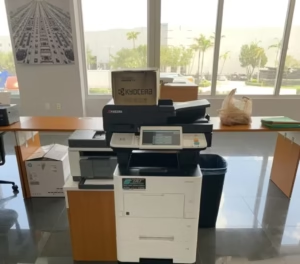
A desktop printer usually enters the office quietly.
Someone buys it because it is affordable, it fits on a credenza, and it seems like the easiest answer for a small team. For a while, it works. A few print jobs here, a few scans there, nothing complicated. Then the office gets busier. More people use it. More documents move through it. More “quick fixes” turn into daily habits.
That is usually when the desktop printer stops being a convenience and starts becoming a bottleneck.
We see this all the time in South Florida offices. A business grows from three people to eight. A second department starts sharing the same device. Someone begins printing larger client packets. Another employee needs better scanning. No single change feels dramatic, but together they push a small printer past the role it was meant to fill.
The problem is not just speed. It is everything around the speed.
A small printer that jams once in a while, runs out of toner too often, or slows down when multiple people send jobs at once creates a kind of low-grade office friction that most teams simply absorb. People wait longer than they should. They reprint jobs. They scan from one machine and print from another. They stop thinking of the device as reliable and start thinking of it as something to work around.
That is the point where “cheap” gets expensive.
When a Desktop Printer Stops Being the Right Fit
There is a stage in business growth where a desktop printer is no longer supporting the office. It is being tolerated by the office.
You usually notice it when:
- print jobs start queuing during normal work hours
- toner replacement feels constant
- scanning becomes inconsistent or too basic for the volume
- employees begin choosing the device based on what they are trying to avoid
That last one matters more than most people realize. Once a team starts saying things like “use the other printer” or “don’t send a big job there,” the office has already outgrown the setup.
For businesses that have reached that point, the next step is often not “buy a bigger printer.” It is stepping back and looking at the broader category of office printers designed for shared business use rather than personal or light-duty output.
Why Multifunction Systems Change the Conversation
A true office copier or multifunction printer does more than produce pages faster. It changes how work moves.
Instead of one small device trying to handle every task, a properly matched system can support:
- higher monthly print volumes
- faster scan-to-email and scan-to-folder workflows
- better paper handling for different job types
- improved security and user access controls
- finishing options that reduce manual sorting
That is why many growing offices eventually shift toward black and white multifunction copiers or larger departmental systems instead of buying “just one more” desktop machine.
The difference is not cosmetic. It shows up in fewer interruptions, cleaner document handling, and better day-to-day consistency.
The South Florida Reality: Growth Happens Unevenly
One reason businesses hold onto undersized print equipment for too long is that growth rarely arrives all at once.
A professional office in Davie might add staff over a year and only gradually realize its printing needs have changed. A team in Miami Lakes may begin handling more client-facing paperwork without formally revisiting office equipment. A growing business in Palm Beach Gardens may not notice the strain until the front office and back office are both competing for the same device.
That is what makes printer upgrades easy to postpone. The pain arrives in small pieces.
But the operational cost is real. Time lost to retries, jams, slow scans, and inconsistent output does not always show up on a spreadsheet. It still affects productivity.
Why Kyocera Often Becomes the Upgrade Path
When businesses finally decide to move beyond desktop printers, they usually want something different in more than size. They want stability.
Kyocera has built a strong reputation in business environments because of its long-life components, lower consumable waste, and focus on total cost of ownership. That matters to offices that are tired of replacing cartridges constantly or dealing with devices that feel disposable.
Kyocera also puts significant emphasis on document workflow and device reliability at the business level, which you can see on the company’s official products and solutions pages.
Locally, that kind of upgrade often starts with a closer look at copier sales or a right-sized lease rather than another retail printer purchase.
The Better Question Is Not “Do We Need a Copier?”
A lot of business owners frame this the wrong way.
They ask whether they are “big enough” for a copier.
That is rarely the right question.
The better question is whether the current equipment is still supporting the pace, volume, and workflow of the office. If it is not, then the business has already crossed the threshold where better equipment makes sense.
For some offices, the answer is a compact multifunction system. For others, it is a full departmental copier with scanning, multiple trays, and better document handling. The right fit depends less on company size and more on how the team actually works.
What Usually Changes First After the Upgrade
People assume the biggest difference will be print speed.
Sometimes it is.
More often, the first thing people notice is that the office feels less interrupted. Documents move with less effort. Scanning becomes dependable. Toner stops being a recurring headache. Employees stop talking about the printer altogether.
That is usually the sign the setup is finally right.
If your office has outgrown a desktop printer but no one has formally said it yet, that does not mean the issue is small. It usually means the team has adapted around it for longer than they should have.
STAT Business Systems helps South Florida businesses evaluate whether their current print environment still fits the way they work. For offices ready to compare the cost of staying put versus upgrading, starting with a free copier and printer quote is an easy way to get clear answers without pressure.
Frequently Asked Questions About Upgrading From a Desktop Printer
How do I know when my office has outgrown a desktop printer?
A common sign is when multiple employees rely on the same device and start experiencing delays, jams, toner issues, or scanning limitations on a regular basis.
Is a copier too much for a small office?
Not necessarily. Many small and mid-sized offices benefit from a compact multifunction system once print volume and document handling become more demanding.
Are desktop printers more expensive over time?
They can be. Frequent toner replacement, lower efficiency, limited capacity, and downtime often make them more costly than they first appear.
What type of business benefits most from upgrading?
Law offices, medical practices, title companies, accounting firms, and growing professional offices often benefit the most because they rely on consistent, shared document workflows.
Can I get help choosing the right size system?
Yes. The best fit depends on monthly volume, scanning needs, paper handling, and how many people share the device. A proper assessment usually prevents overbuying and underbuying.