

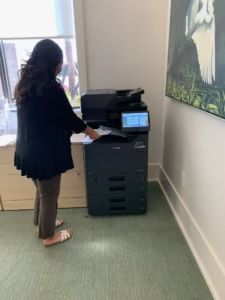
Modern office printing in South Florida often fails quietly through normalized workarounds rather than loud, system-wide outages. While equipment may technically function, the friction of resending scans, rerouting jobs, and avoiding specific device trays creates a cumulative drain on productivity that leadership frequently overlooks.
As organizations grow, their document volume and security requirements often outpace aging infrastructure, making it necessary to shift from reactive repairs to a structured document strategy centered on long-life technology and proactive oversight.
To: Office Managers, Operations Leads
From: Operations Review
Subject: Recurring workflow delays tied to document handling
The Pattern of Normalized Inefficiency
This topic keeps resurfacing because printing is not failing loudly. There are no red alerts or emergency service calls; instead, there are repeated mentions of documents moving slower than expected. No one flags this as a copier issue—it simply shows up as missed time.
During recent reviews, teams described adjusting their habits rather than addressing the source of friction. They are printing in smaller batches, avoiding certain paper trays, and sending files digitally because scanning “sometimes works”. This normalization of technical friction is the core issue.
Why the Mismatch Occurs
When we compare current workflows to how the office operated when the equipment was first installed, the mismatch is obvious.
- Increased Staffing: Growth has added more users to the same shared devices.
- Higher Volume: Document throughput has quietly climbed over time.
- Evolving Security: Modern security expectations have changed while older hardware remains stagnant.
This isn’t about replacing a machine for the sake of it; it’s about recognizing when infrastructure no longer matches how work actually moves. This is why some departments have started reviewing their entire office printing environment rather than focusing on individual devices.
The Trap of Reactive Service
Several teams asked whether the bottleneck was hardware, service, or configuration. In most cases, it is a combination of all three. While reactive repair keeps devices running, it does not prevent friction. Waiting for something to break before acting made sense years ago, but it is an inefficient model for high-growth firms today.
Consistent oversight and preventative service reduce the interruptions that never show up on incident reports but affect output daily. For organizations reassessing reliability, moving toward structured copier service agreements is a critical step in reclaiming operational time.
Longevity and Engineering Philosophy
There was also discussion around why some platforms age better than others. Kyocera frequently comes up because of a specific design philosophy centered on long-life components and reduced consumables.
- Ceramic Technology: Kyocera’s amorphous silicon drums are designed for extreme durability, lasting significantly longer than conventional plastic drums.
- Resource Efficiency: The “toner-only” concept means the drum and other long-life parts stay in the machine, reducing waste and the frequency of service calls.
This engineering mindset, which focuses on fewer failure points, is detailed by the manufacturer in their overview of long-life technology.
Breaking the Pattern
At some point, continuing to adapt around friction costs more than addressing it directly. A neutral assessment often clarifies whether the real bottleneck is capacity, service, or structure.
Several departments suggested starting with a simple, no-pressure review. Requesting a free copier and printer quote is a practical way to surface options and gather real data without an immediate commitment to change. No action is required today, but ignoring the pattern hasn’t made it go away.
Frequently Asked Questions
What are the signs that printing friction is affecting our operations? Look for “habits” like staff using smaller desktop printers for large jobs, employees resending failed scans as a standard procedure, or a general lack of trust in the main office equipment.
How does Kyocera’s technology help with these bottlenecks? Kyocera uses long-life components like ceramic drums that are designed to last the entire life of the machine, reducing the “downtime cycles” common with standard office printers.
Is it better to lease or buy to solve these issues? Leasing often provides a more flexible path to keep technology aligned with office growth, allowing for upgrades as staffing and document volumes increase.