

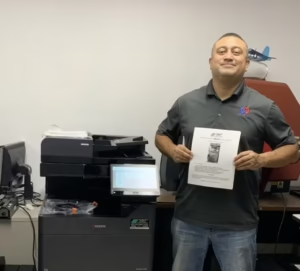
When business owners in South Florida think about cybersecurity, their minds immediately go to firewalls, email phishing scams, and secure cloud servers. Very rarely do they look down the hall at the office copier. However, in 2026, multifunction printers (MFPs) are essentially high-powered computers sitting on your network. If they are left unsecured, they represent a massive vulnerability for your corporate data.
Whether you run a healthcare facility in Sunrise managing HIPAA regulations or a law firm in Fort Lauderdale handling sensitive client financials, securing your document workflow is no longer optional. At STAT Business Systems, we prioritize data protection just as much as print speed. Here is what you need to know about modern copier security and how we keep your business safe.
The Hidden Risks of Outdated Office Equipment
Older copiers and printers were built for a different era of the internet. They often lack the sophisticated encryption required to fend off modern cyber threats. If your office is using a machine that is five or six years old, you are likely facing these hidden risks:
- Unencrypted Hard Drives: Every time you scan, copy, or print a document, a digital image is temporarily saved on the machine’s internal hard drive. If the drive isn’t encrypted or automatically overwritten, a bad actor can extract those files.
- Intercepted Network Traffic: Without modern TLS (Transport Layer Security) protocols, documents sent from a computer to the printer can be intercepted over your network.
- Unauthorized Access: Without user authentication, anyone who walks into the office can access the machine, change network settings, or view the scan history.
How the Kyocera EvolutionNext Series Protects Your Data
When you upgrade your office fleet with STAT Business Systems, you are actively closing those security loopholes. We exclusively partner with brands like Kyocera because they build their machines with federal-grade security protocols right out of the box.
Here is how modern Kyocera multifunction copiers protect your South Florida business:
1. FIPS 140-3 Federal-Grade Encryption
The latest Kyocera machines utilize FIPS 140-3 cryptography. This is the same standard required by the U.S. federal government to protect sensitive, unclassified data. Your scanned documents and network passwords are heavily encrypted, rendering them useless to anyone trying to hack the machine.
2. Standard SSD/HDD Overwrite
You should never have to worry about what happens to the digital ghost of a scanned document. With standard data overwrite features, the copier automatically shreds the temporary digital file from its solid-state drive the moment the print or scan job is completed.
3. Secure Print Release (Follow-Me Printing)
Have you ever printed a sensitive HR document, only to get distracted and leave it sitting on the output tray for anyone to read? Secure Print Release eliminates this risk. When you click “print” at your desk, the document is held securely on the server. It will not physically print until you walk up to the machine and authenticate yourself using a PIN code or an employee ID badge.
Security Managed by Local Experts
Having the right hardware is only half the battle. The equipment must be configured correctly on your network to be effective.
As part of our Managed Print Services, the technical experts at STAT Business Systems handle the entire security setup for you. We configure your administrative passwords, set up user authentication, and manage automated, remote firmware updates. By pushing the latest security patches to your fleet during off-hours, we ensure your network remains locked down without interrupting your daily operations.
Don’t let an outdated copier be the weak link in your company’s cybersecurity plan. Keep your sensitive data safe and your workflow running smoothly with an upgraded, secure system.