

Running a Homeowners Association (HOA) or Property Management office in South Florida is no small task. Between organizing monthly board meetings, distributing community newsletters, and securely managing resident financials, the administrative workload is massive.
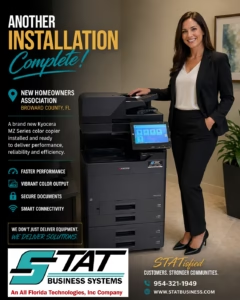
We recently completed another successful installation of a brand-new Kyocera MZ Series color copier for an HOA right here in Broward County. The board was looking for a system that could handle the heavy lifting of community management without breaking their annual budget.
If your association is still struggling with an aging, jamming printer, here are the top three reasons why the Kyocera MZ Series is the perfect upgrade for modern HOAs.
1. Vibrant Color for Community Communications
A thriving community relies on clear, engaging communication. Whether you are printing out full-color flyers for a neighborhood block party, high-quality community newsletters, or visual charts for the annual budget meeting, presentation matters.
The Kyocera TASKalfa MZ2501ci delivers sharp, 1200 x 1200 dpi vibrant color output that makes your community documents look professionally printed. You no longer have to outsource your newsletter printing to an expensive local print shop—you can produce stunning, folded, and stapled booklets right from the HOA clubhouse.
2. Secure Document Handling for Resident Privacy
HOAs handle incredibly sensitive information. From resident background checks and gate-access logs to bank statements and vendor contracts, data security is a top priority. Aging printers often lack the protocols needed to keep this data safe from network vulnerabilities.
The Kyocera MZ Series features standard SSD/HDD Overwrite and FIPS 140-3 Federal-Grade Encryption. This means that when a board member scans a confidential financial document, the temporary digital file is automatically wiped from the machine’s hard drive the moment the job is complete. Your residents’ privacy is protected at every step of the workflow.
3. High-Speed Performance & Budget Flexibility
During proxy voting or annual general meetings, your printing volume spikes. The MZ Series offers incredibly fast warm-up times and smart connectivity, meaning board members can print directly from their smartphones or tablets via Kyocera Mobile Print without having to log onto a main desktop computer.
Looking for a more budget-conscious option? If your HOA primarily prints text-heavy documents like meeting minutes, CC&R packets, and violation notices, you might not need color at all. We highly recommend exploring a robust black-and-white alternative like the Kyocera TASKalfa MZ4001i. It delivers the exact same security and speed, but with an even lower Total Cost of Ownership (TCO) since you are only paying for black toner.
How Kyocera Compares for HOAs
Why do we specifically recommend Kyocera to property managers over other retail brands? It comes down to reliability and the bottom line. Here is how the MZ Series stacks up against the competition for HOA environments:
| Feature | Kyocera MZ Series (STAT’s Choice) | Standard Retail Brands (HP, Brother) | High-End Graphic Brands (Xerox, Canon) |
| Total Cost of Ownership | Lowest. Long-life ceramic drums mean fewer service calls and cheaper maintenance. | High. Retail ink/toner cartridges are notoriously expensive per page. | High. Maintenance agreements are often priced at a premium for graphic-arts features HOAs don’t need. |
| Durability | Built for heavy, continuous use. Easily handles annual meeting spikes. | Desktop models easily jam or overheat during large 500+ page print runs. | Excellent durability, but often over-engineered for standard HOA paperwork. |
| Ease of Use | 10.1-inch tablet-style touchscreen with customizable buttons for “Scan to Board” or “Print Proxy.” | Basic screens, often requiring complicated computer driver setups. | Complex interfaces geared toward professional print operators. |
We Don’t Just Deliver Equipment. We Deliver Solutions.
At STAT Business Systems, we know that HOA board members are often volunteers. You don’t have time to be the IT department. That is why we don’t just drop a box off at the clubhouse. Our local team fully installs the equipment, connects it to your network, trains your board members, and ensures it is ready to perform from day one.
Ready to make your community office run smoother and keep your residents STATisfied? Request a free, no-obligation quote today and see how an upgraded Kyocera system can benefit your association.