

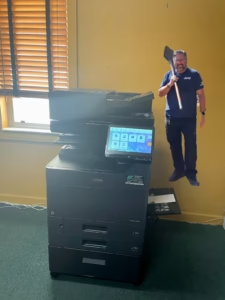
Relocating an office in South Florida is a massive undertaking, whether you are moving across the street in Sunrise or expanding into a new high-rise in Fort Lauderdale. Amidst the chaos of packing files and coordinating movers, office technology often gets overlooked—specifically your multifunction copier. At STAT Business Systems, we’ve seen how a poorly planned move can lead to damaged hardware, voided warranties, and days of network downtime. As your local technology partner, we ensure your Kyocera TASKalfa or ECOSYS system is relocated with “white-glove” precision so your team is productive from the moment they step into the new space.
The Risks of “DIY” Copier Relocation
Professional multifunction printers are precision-engineered machines, not standard furniture. Handing them over to general office movers who aren’t familiar with internal sensitive components can lead to costly mistakes.
- Internal Hardware Shifts: Copiers have delicate mirrors, lenses, and sensors that can fall out of alignment if tilted or jarred during transit.
- Warranty & Lease Violations: Many copier leasing agreements actually require that only factory-authorized technicians move the equipment. Moving it yourself could void your service contract or warranty.
- Toner Spill Disasters: If the machine isn’t properly prepped and sealed, toner can leak into the internal gears and circuit boards during the move, potentially totaling a $10,000 machine.
- Network Connectivity Gaps: Setting up a copier in a new office isn’t just about plugging it into a wall. It requires re-configuring IP addresses, scan-to-email paths, and server connections for the new network environment.
The STAT “White-Glove” Relocation Process
When our customers move, we handle the heavy lifting to ensure total peace of mind. Our relocation service is designed to be seamless:
- Professional De-installation: Our technicians properly “lock down” the scanner mirrors and secure the internal components for transport.
- Climate-Controlled Transport: We use specialized equipment to move your Kyocera device safely, ensuring it isn’t exposed to South Florida’s extreme heat or humidity for extended periods.
- On-Site Network Integration: Once at the new location, we don’t just drop the box. We integrate the machine into your new network, re-mapping every staff member’s computer so they can print and scan immediately.
- Hardware Recalibration: We perform a full diagnostic check after the move to ensure the high-quality output you expect hasn’t been compromised during transit.
Planning for Growth in Your New Space
A move is the perfect time to evaluate if your current equipment still fits your needs. If your business is expanding into a larger facility, you might find that you need more than just one central hub. We often help clients use their move as a chance to take advantage of special offers and upgrade to faster, more secure models like the latest TASKalfa series.
Whether you are a growing aviation firm in a new warehouse or a realty office expanding its footprint, having a partner that has been in business for 40 years ensures your transition is “STATisfied” and stress-free.
Office Relocation & Copier FAQ
Does our maintenance plan cover the cost of a move?
Standard maintenance plans usually cover repairs and supplies but not the physical relocation. However, scheduling the move through us ensures that your existing copier maintenance plan remains valid and active at your new location.
How far in advance should we schedule our copier relocation?
We recommend calling us as soon as you have your move-in date. Ideally, 2 to 3 weeks’ notice allows us to coordinate with your IT team to ensure the new network is ready for integration the moment the machine arrives.
Can you move our wide-format printers too?
Absolutely. We are factory-trained to handle KIP Wide Format systems, which require even more specialized handling than standard copiers to maintain their technical precision.
What if our new office is in a different county?
No problem. We serve all of Broward, Miami-Dade, and Palm Beach. Whether you are moving from Weston to Boca Raton, our team handles the entire process across the tri-county area.
Is it better to just upgrade to a new lease during the move?
If your current lease is nearing its end, upgrading is often the smartest move. It saves you the relocation cost of the old machine and ensures you start in your new office with the latest technology and a fresh warranty.
How do I get a quote for a professional relocation?
Call us at 954-321-1949. Give us the details of your current and new locations, and we’ll provide a straightforward estimate to get your tech moved safely.