

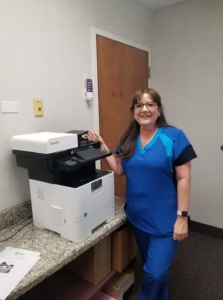
Dealing with a malfunctioning copier in a fast-paced South Florida office often feels like a rite of passage for administrative staff, but most technical hiccups don’t actually require a full-scale service call. Whether you are managing high-volume litigation files in a law firm or processing patient records in a medical clinic, understanding the basic mechanics of your Kyocera or KIP system can save your team hours of frustration.
Many common glitches—from the dreaded paper jam to mysterious lines appearing on scans—are often caused by simple environmental factors like the South Florida humidity or a smudge on the scanner’s slit glass. By following a structured troubleshooting process, professional offices can quickly identify whether a problem is a quick DIY fix or a hardware failure that requires the specialized tools of a local technician.

Smart Copier Troubleshooter
Solve common issues in seconds or connect with a South Florida expert.
1 What’s happening with your machine?
Mastering Office Maintenance in South Florida
Even with the best hardware, the high-volume environments of Broward and Palm Beach counties put a significant strain on office equipment. When a machine stops working, it’s rarely a total mystery; usually, it’s a sign that a specific consumable or a sensor needs attention.
Why Paper Quality and Environment Matter
Many South Florida businesses aren’t aware that humidity is the #1 cause of paper jams. In cities like Fort Lauderdale or Miami, paper can absorb moisture from the air, causing pages to stick together. If your machine keeps jamming at the tray, try opening a fresh, dry ream of paper. If that solves the problem, you may need to store your paper in a climate-controlled cabinet rather than on the floor.
Cleaning for Clarity: The Slit Glass Secret
For legal firms and medical offices that scan thousands of pages a month, vertical lines on digital files are a common headache. While many assume this is a software error, it is almost always physical. A tiny speck of dust or a dot of correction fluid on the small “slit glass” (the narrow strip of glass next to the main flatbed) will create a line across the entire length of the scan. A quick wipe with a microfiber cloth can often prevent a costly copy machine service call.
When to Call the Pros
While the troubleshooter above handles the basics, certain issues require factory-trained expertise. If your machine is making a loud grinding noise, emitting a burning smell, or displaying persistent “C-codes” that don’t disappear after a reboot, it’s time to step away from the machine.
At STAT Business Systems, we specialize in repairing all major brands, though we are authorized experts in Kyoceraand KIP systems. Our Sunrise headquarters allows us to provide rapid support across the region. If your current equipment is constantly failing despite your best efforts, it may be time to consider a copier leasing program. Leasing includes all maintenance and repairs, meaning you never have to be the “office repair person” again.
FAQ: Copier Troubleshooting Tips
What should I do if my copier says “Replace Waste Toner Box”? This is a standard maintenance task. The box collects excess toner from the printing process. Simply swap it out for a new one (usually included in your supply kit). If you are a STAT customer and need a new one, you can request it through our customer center.
Why is my KIP wide format printer producing blurry site plans? Wide format machines are highly sensitive to calibration. Blurry lines can be caused by a dirty print head or an alignment issue. Because these are precision instruments for developers and architects, we recommend professional servicing for any image quality issues.
Can I use any glass cleaner on the scanner bed? Use a very small amount of non-ammonia glass cleaner. Never spray the glass directly; spray a lint-free cloth first and then wipe the glass to prevent liquid from seeping into the internal electronics.
Why does my copier keep losing its network connection? This is often caused by a “Dynamic IP” address changing after a router reboot. We recommend setting a “Static IP” for your office copier to ensure your computers can always find it on the network.
Is it safe to clear a jam while the machine is on? Most modern machines will guide you through the jam clearance process on the screen while the power is on. However, if you have to reach near the fuser (the hot area), be extremely careful or wait for it to cool down.
How often should a professional service my copier? For high-volume offices in industries like law or healthcare, we recommend a professional cleaning and preventative maintenance check at least every 6 months to replace worn rollers before they cause a failure.